<?xml version="1.0" encoding="utf-8"?>
<feed xmlns="http://www.w3.org/2005/Atom">
   <title>AAアプリ研究室</title>
   <link rel="alternate" type="text/html" href="http://yumi-ii.squares.net/shiraneyo/" />
   <link rel="self" type="application/atom+xml" href="http://yumi-ii.squares.net/shiraneyo/atom.xml" />
   <id>tag:yumi-ii.squares.net,2008:/shiraneyo//3</id>
   <updated>2007-04-24T10:02:56Z</updated>
   <subtitle>このサイトでは2chアスキーアートのアプリケーションを公開しています</subtitle>
   <generator uri="http://www.sixapart.com/movabletype/">Movable Type 3.35</generator>

<entry>
   <title>忘れ物</title>
   <link rel="alternate" type="text/html" href="http://yumi-ii.squares.net/shiraneyo/archives/2004/12/20041204000400.html" />
   <id>tag:yumi-ii.squares.net,2004:/shiraneyo//3.4184</id>
   
   <published>2004-12-03T15:04:00Z</published>
   <updated>2007-04-24T10:02:56Z</updated>
   
   <summary>地下鉄で忘れ物をしたシラネーヨ。忘れ物センターに行ってみるのだが。</summary>
   <author>
      <name>MURONO</name>
      
   </author>
         <category term="200.シラネーヨ絵本" scheme="http://www.sixapart.com/ns/types#category" />
   
   
   <content type="html" xml:lang="ja" xml:base="http://yumi-ii.squares.net/shiraneyo/">
      
      <![CDATA[	<div class="loveshira">
		<div class="bg_transparent">
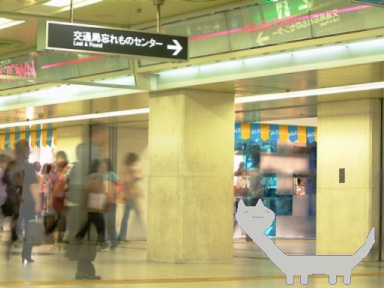
			<img src="/res/1101/11019859905/wasuremono-384x288q95-11019858784.jpg" width="384" height="288" alt="忘れ物センターに行くシラネーヨ">
		</div>

		<div class="bg_yellow">
			<div class="shiraneyo"><div class="white"><p>地下鉄で忘れ物をしたーヨ</p></div></div>
			<div class="shiraneyo"><div class="white"><p>手袋を忘れたーヨ</p></div></div>
			<div class="shiraneyo"><div class="white"><p>忘れ物センターに行ってきたーヨ</p></div></div>
			<div class="shiraneyo"><div class="blue"><p>「なにを忘れましたか」ときかれたーヨ</p></div></div>
			<div class="shiraneyo"><div class="blue"><p>なにを忘れたか思い出せなかったーヨ</p></div></div>
			<div class="shiraneyo"><div class="blue"><p>「忘れたものを忘れた」と答えたーヨ</p></div></div>
			<div class="shiraneyo"><div class="white"><p>「それは忘れすぎですね」と言われたーヨ</p></div></div>
			<div class="shiraneyo"><div class="red"><p>またーくそのとおりだーヨ</p></div></div>
			<div class="shiraneyo"><div class="white"><p>ほんとうに地下鉄で忘れたのか　怪しくなってきたーヨ</p></div></div>
		</div>

		<div class="bg_blue">
			<div class="shiraneyo"><div class="green"><p>クレジットカードで買い物するーヨ</p></div></div>
			<div class="shiraneyo"><div class="green"><p>サインだけで買い物するーヨ</p></div></div>
			<div class="shiraneyo"><div class="green"><p>どんどん買い物するーヨ</p></div></div>
			<div class="shiraneyo"><div class="orange"><p>請求書を見て青くなったーヨ</p></div></div>
			<div class="shiraneyo"><div class="orange"><p>とてーも払える金額ではないーヨ</p></div></div>
			<div class="shiraneyo"><div class="orange"><p>大きな買い物をしすぎたーヨ</p></div></div>
			<div class="shiraneyo"><div class="red"><p>リボリビング払いは恐ろしーヨ</p></div></div>
			<div class="shiraneyo"><div class="green"><p>あしたから借金地獄だーヨ</p></div></div>
			<div class="shiraneyo"><div class="green"><p>常盤貴子ちゃんのドラマのような展開になってきたーヨ</p></div></div>
		</div>

		<div class="bg_orange">
			<div class="shiraneyo"><div class="yellow"><p>ISO14001への取り組みをはじめたーヨ</p></div></div>
			<div class="shiraneyo"><div class="yellow"><p>そんなの当たり前だーヨ</p></div></div>
			<div class="shiraneyo"><div class="yellow"><p>ようやくオレの問題意識に世界が追いついたらしーヨ</p></div></div>
			<div class="shiraneyo"><div class="blue"><p>環境ISOの基本は省エネだーヨ</p></div></div>
			<div class="shiraneyo"><div class="blue"><p>お昼休みは部屋の明かりが消されるようになったーヨ</p></div></div>
			<div class="shiraneyo"><div class="blue"><p>昼寝するのにちょうどいい明るさになったーヨ</p></div></div>
			<div class="shiraneyo"><div class="red"><p>今日は監査の日だったーヨ</p></div></div>
			<div class="shiraneyo"><div class="red"><p>監査員からきかれたーヨ　「シラネーヨ」と答えたーヨ</p></div></div>
			<div class="shiraneyo"><div class="white"><p>けきょーく認定監査に合格できなかったらしーヨ</p></div></div>
		</div>

		<div class="bg_blue">
			<div class="shiraneyo"><div class="green"><p>今日は朝帰りだったーヨ</p></div></div>
			<div class="shiraneyo"><div class="green"><p>かるくあそんできたーヨ</p></div></div>
			<div class="shiraneyo"><div class="orange"><p>あそび相手には　またーく不自由してないーヨ</p></div></div>
		</div>

		<div class="bg_yellow">
			<div class="hikky">
				<p>昨日は　シラネーヨにきつく当たってしまった<br>
				シラネーヨが当番をさぼって帰ろうとしたから　注意したんだ<br>
				なのにシラネーヨは　「シラネーヨ」と言って逃げようとした
				</p>

				<p>ぼくはつい「本当は知っているくせに」と言ってしまった<br>
				そうしたらシラネーヨは急に無口になって<br>
				それ以上なにも喋ろうとしなかった<br>
				</p>

				<p>シラネーヨごめんね<br>
				昨日は用事があったんだよね<br>
				ほんとうにごめんね
				</p>

				<p>今週の土曜日<br>
				ハイキングに行こう<br>
				シラネーヨの好きなお菓子をたくさん持っていこう
				</p>
			</div>
		</div>
	</div>]]>
   </content>
</entry>
<entry>
   <title>ビデオクリープ</title>
   <link rel="alternate" type="text/html" href="http://yumi-ii.squares.net/shiraneyo/archives/2004/12/20041204000300.html" />
   <id>tag:yumi-ii.squares.net,2004:/shiraneyo//3.4183</id>
   
   <published>2004-12-03T15:03:00Z</published>
   <updated>2007-04-24T10:02:56Z</updated>
   
   <summary>朋ちゃんのビデオクリップを買ったシラネーヨ。さっそく観てみたのだが感想は。</summary>
   <author>
      <name>MURONO</name>
      
   </author>
         <category term="200.シラネーヨ絵本" scheme="http://www.sixapart.com/ns/types#category" />
   
   
   <content type="html" xml:lang="ja" xml:base="http://yumi-ii.squares.net/shiraneyo/">
      
      <![CDATA[	<div class="loveshira">
		<div class="bg_blue">
			<div class="sound">
				<a href="/res/1103/videoclip-11031080813.mp3"><img src="/res/1102/speaker-24x22-11020797612.png" width="24" height="22" alt="*"> MP3</a>
			</div>

			<div class="shiraneyo"><div class="orange"><p>華原朋美ビデオクリープ集をみたーヨ</p></div></div>
			<div class="shiraneyo"><div class="green"><p>大興奮だったーヨ</p></div></div>
			<div class="shiraneyo"><div class="orange"><p>朋ちゃんは揺れていたーヨ　操り人形のように踊っていたーヨ</p></div></div>
		</div>

		<div class="bg_green">
			<div class="shiraneyo"><div class="blue"><p>SPIはむずかしーヨ</p></div></div>
			<div class="shiraneyo"><div class="blue"><p>「12%と5%の食塩水を混ぜたら何%になるーヨ」</p></div></div>
			<div class="shiraneyo"><div class="red"><p>塩水がどうなろうとシラネーヨ そんなことどうでもいいーヨ</p></div></div>
		</div>

		<div class="bg_orange">
			<div class="shiraneyo"><div class="white"><p>街中でスカウトされたーヨ</p></div></div>
			<div class="shiraneyo"><div class="white"><p>「ビデオのモデルになりませんか？」と言われたーヨ</p></div></div>
			<div class="shiraneyo"><div class="white"><p>罠かもしれないーヨ　しばらく考えておくことにするーヨ</p></div></div>
			<div class="shiraneyo"><div class="yellow"><p>ビデオのモデルさんは短命だーヨ</p></div></div>
			<div class="shiraneyo"><div class="yellow"><p>賞味期限が切れたらすぐーに捨てられてしまうーヨ</p></div></div>
			<div class="shiraneyo"><div class="yellow"><p>だれーでも飯○愛ちゃんのように　なれるわけではないーヨ</p></div></div>
			<div class="shiraneyo"><div class="blue"><p>監督さんから名刺をもらったーヨ　この住所おかしーヨ</p></div></div>
			<div class="shiraneyo"><div class="red"><p>「青葉町10丁目」と書かれているーヨ　青葉町は6丁目までしかないーヨ</p></div></div>
			<div class="shiraneyo"><div class="blue"><p>監督さんはマトリックスの世界に住んでいるらしーヨ</p></div></div>
		</div>

		<div class="bg_green">
			<div class="shiraneyo"><div class="blue"><p>今晩も熱帯夜らしいーヨ</p></div></div>
			<div class="shiraneyo"><div class="blue"><p>家でマターリしていたらもったいないーヨ　今夜も大冒険するーヨ</p></div></div>
			<div class="shiraneyo"><div class="yellow"><p>ひとなつもふたなつもケイケンするーヨ</p></div></div>
		</div>

		<div class="bg_orange">
			<div class="hikky">
				<p>昨日のシラネーヨにはまいったよ
				</p>

				<p>どこそこにいけば女を抱けるとか<br>
				昨日の女はどうだったとか<br>
				嫌な話ばかりするんだ
				</p>

				<p>ぼくにはシラネーヨの言いたいことが分かっていた</p>

				<p>世の中ってきれい事だけじゃ済まされない<br>
				ときにはずるかったり人を騙したりしなければ<br>
				生きて行けないものなんだ
				</p>

				<p>シラネーヨはそんな社会の厳しさを<br>
				教えたかったんだと思う<br>
				ぼくには縁のない話だったけどね
				</p>
			</div>
		</div>
	</div>]]>
   </content>
</entry>
<entry>
   <title>あき子ちゃんの上靴</title>
   <link rel="alternate" type="text/html" href="http://yumi-ii.squares.net/shiraneyo/archives/2004/12/20041204000200.html" />
   <id>tag:yumi-ii.squares.net,2004:/shiraneyo//3.4182</id>
   
   <published>2004-12-03T15:02:00Z</published>
   <updated>2007-04-24T10:02:56Z</updated>
   
   <summary>クラスメイトのあき子ちゃんの上靴がなくなった。シラネーヨは犯人探しをするのだが。</summary>
   <author>
      <name>MURONO</name>
      
   </author>
         <category term="200.シラネーヨ絵本" scheme="http://www.sixapart.com/ns/types#category" />
   
   
   <content type="html" xml:lang="ja" xml:base="http://yumi-ii.squares.net/shiraneyo/">
      
      <![CDATA[	<div class="loveshira">
		<div class="bg_transparent">
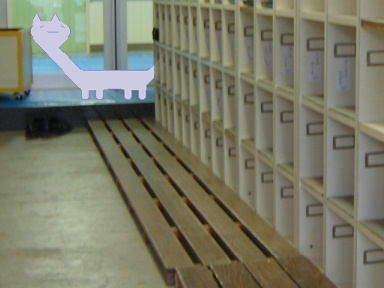
			<img src="/res/1101/11019859905/akiko-384x288q95-11019858805.jpg" width="384" height="288" alt="下駄箱を見回るシラネーヨ">
		</div>

		<div class="bg_green">
			<div class="shiraneyo"><div class="yellow"><p>あき子ちゃんの上靴がなくなったーヨ</p></div></div>
			<div class="shiraneyo"><div class="yellow"><p>犯行現場には犯人のケラチンが残されていたーヨ</p></div></div>
			<div class="shiraneyo"><div class="yellow"><p>先生はセロテープでケラチンを採取したーヨ</p></div></div>
			<div class="shiraneyo"><div class="blue"><p>ケラチンは動かぬ証拠だーヨ</p></div></div>
			<div class="shiraneyo"><div class="blue"><p>事件はすぐーに解決するはずだったーヨ</p></div></div>
			<div class="shiraneyo"><div class="blue"><p>だけーど捜査は難航したーヨ</p></div></div>
			<div class="shiraneyo"><div class="red"><p>ケラチンを鑑定する方法なんてだれもシラネーヨ</p></div></div>
			<div class="shiraneyo"><div class="yellow"><p>そのうち上靴はこそーり出てきたーヨ</p></div></div>
			<div class="shiraneyo"><div class="yellow"><p>靴の中には「ちょっと借りてたーヨ」と書かれた手紙が入っていたーヨ</p></div></div>
		</div>

		<div class="bg_yellow">
			<div class="shiraneyo"><div class="green"><p>ヨドバシでデジカメをみてきたーヨ</p></div></div>
			<div class="shiraneyo"><div class="green"><p>すっぱいニオイさせた人が群がっていたーヨ</p></div></div>
			<div class="shiraneyo"><div class="red"><p>自分自身が被写体になりえない人ほど　高いカメラを物色していたーヨ</p></div></div>
		</div>		

		<div class="bg_blue">
			<div class="shiraneyo"><div class="white"><p>携帯電話を買って3週間になるーヨ</p></div></div>
			<div class="shiraneyo"><div class="white"><p>この頃「武田さん」という人から間違い電話が掛かってくるーヨ</p></div></div>
			<div class="shiraneyo"><div class="white"><p>伝言メモは武田さんのメッセージでいっぱいだーヨ</p></div></div>
			<div class="shiraneyo"><div class="yellow"><p>今日も武田さんから電話がきたーヨ</p></div></div>
			<div class="shiraneyo"><div class="red"><p>どこのだれだかシラネーヨ</p></div></div>
			<div class="shiraneyo"><div class="yellow"><p>はやく番号違いだと気づいてほしーヨ</p></div></div>
			<div class="shiraneyo"><div class="orange"><p>武田さんから電話がこなくなったーヨ</p></div></div>
			<div class="shiraneyo"><div class="orange"><p>元気にしてるか心配だーヨ</p></div></div>
			<div class="shiraneyo"><div class="orange"><p>たまには間違い電話してほしーヨ</p></div></div>
		</div>
		
		<div class="bg_orange">
			<div class="shiraneyo"><div class="green"><p>最終電車に乗り遅れたーヨ</p></div></div>
			<div class="shiraneyo"><div class="green"><p>ピンクサロンでしばらく休むことにするーヨ</p></div></div>
			<div class="shiraneyo"><div class="green"><p>言い訳ではないーヨ　マターリ休憩するだけだーヨ</p></div></div>
			<div class="shiraneyo"><div class="yellow"><p>ピンクサロンにわすれものをしたーヨ</p></div></div>
			<div class="shiraneyo"><div class="yellow"><p>あしたピンクサロンに行ってくるーヨ</p></div></div>
			<div class="shiraneyo"><div class="yellow"><p>言い訳ではないーヨ　わすれものを取りに行くだけダーヨ</p></div></div>
			<div class="shiraneyo"><div class="green"><p>ピンクサロンに通いすぎたーヨ</p></div></div>
			<div class="shiraneyo"><div class="green"><p>このごろ細かいことがどうでもよくなってきたーヨ</p></div></div>
			<div class="shiraneyo"><div class="white"><p>私生活が大乱れしているーヨ</p></div></div>
		</div>

		<div class="bg_green">
			<div class="hikky">
				<p>昨日のシラネーヨの話を聞いて<br>
				まだ胸が高鳴っている
				</p>
		
				<p>シラネーヨには未来がわかるんだ<br>
				大統領の暗殺も<br>
				衛星の異常接近も<br>
				楠田枝里子がロボットだってことさえも<br>
				シラネーヨは知っていた
				</p>

				<p>すごいことだよシラネーヨ　本当にすごいよ<br>
				でもシラネーヨ少し寂しそうだったね<br>
				「未来を変えてはいけないーヨ。知らないフリをしなければダメだーヨ」と言って<br>
				涙を浮かべていた
				</p>

				<p>そうだよ<br>
				知りすぎているって大変なことなんだ<br>
				知っていることを知らないといえる<br>
				そんな勇気きみにはあるかい<br>
				ぼくにはない<br>
				シラネーヨみたいに知らないフリできないよ
				</p>
			</div>
		</div>
	</div>]]>
   </content>
</entry>
<entry>
   <title>hitomiさん</title>
   <link rel="alternate" type="text/html" href="http://yumi-ii.squares.net/shiraneyo/archives/2004/12/20041204000100.html" />
   <id>tag:yumi-ii.squares.net,2004:/shiraneyo//3.4181</id>
   
   <published>2004-12-03T15:01:00Z</published>
   <updated>2007-04-24T10:02:56Z</updated>
   
   <summary>CANDY GIRLで脚光をあびたhitomiさん。シラネーヨは彼女に特別な思い入れがあった。</summary>
   <author>
      <name>MURONO</name>
      
   </author>
         <category term="200.シラネーヨ絵本" scheme="http://www.sixapart.com/ns/types#category" />
   
   
   <content type="html" xml:lang="ja" xml:base="http://yumi-ii.squares.net/shiraneyo/">
      
      <![CDATA[		<div class="loveshira">
			<div class="bg_orange">
				<div class="shiraneyo"><div class="red"><p>hitomiが紅白に出場したーヨ</p></div></div>
				<div class="shiraneyo"><div class="yellow"><p>hitomiはようやく世間に認められたーヨ</p></div></div>
				<div class="shiraneyo"><div class="yellow"><p>恥ずかしいくせにミニスカート履いてた甲斐があったーヨ</p></div></div>
			</div>

			<div class="bg_blue">
				<div class="sound">
					<a href="/res/1103/visualstudio-11031080834.mp3"><img src="/res/1102/speaker-24x22-11020797612.png" width="24" height="22" alt="*"> MP3</a><br>
				</div>
				
				<div class="shiraneyo"><div class="green"><p>「Visual Studio .NET」はすごいことになってるーヨ</p></div></div>
				<div class="shiraneyo"><div class="yellow"><p>「オラオラっ――」なんて言ってる場合じゃないーヨ</p></div></div>
				<div class="shiraneyo"><div class="green"><p>今日は一日中マターリするーヨ</p></div></div>
			</div>

			<div class="bg_yellow">
				<div class="shiraneyo"><div class="blue"><p>携帯電話を買ったーヨ</p></div></div>
				<div class="shiraneyo"><div class="blue"><p>3G CDMAだーヨ</p></div></div>
				<div class="shiraneyo"><div class="blue"><p>出合いの予感がゆんゆんするーヨ</p></div></div>
				<div class="shiraneyo"><div class="orange"><p>携帯電話を買ってもうすぐ1週間になるーヨ</p></div></div>
				<div class="shiraneyo"><div class="orange"><p>まだ1度も電話が掛かったことがないーヨ</p></div></div>
				<div class="shiraneyo"><div class="orange"><p>「安心だホン」で十分だと悟りはじめているーヨ</p></div></div>
				<div class="shiraneyo"><div class="green"><p>携帯電話がこわれたーヨ</p></div></div>
				<div class="shiraneyo"><div class="red"><p>この頃へんーな言葉しか変換しないーヨ</p></div></div>
				<div class="shiraneyo"><div class="green"><p>「お」で変換するーヨ　第一候補がなぜーか「おさかん」になるーヨ</p></div></div>
			</div>

			<div class="bg_orange">

				<div class="shiraneyo"><div class="white"><p>おとなのお店で「大人の特○街」を買ってきたーヨ</p></div></div>
				<div class="shiraneyo"><div class="white"><p>袋を開けると目がチカチカするチラシが いぱーい挟まっていたーヨ</p></div></div>
				<div class="shiraneyo"><div class="white"><p>見てるだけで　病気になりそうなチラシだったーヨ</p></div></div>
				<div class="shiraneyo"><div class="yellow"><p>おとなのお店で大黒摩季の曲がかかっていたーヨ</p></div></div>
				<div class="shiraneyo"><div class="yellow"><p>いつーもそうだーヨ　安室か大黒摩季のどっちかだーヨ</p></div></div>
				<div class="shiraneyo"><div class="yellow"><p>あいかわらず地獄絵のような歌詞だったーヨ</p></div></div>
				<div class="shiraneyo"><div class="red"><p>おとなのお店の店員さんはふしぎだーヨ</p></div></div>
				<div class="shiraneyo"><div class="red"><p>いつーもどこを見ているか　分からない目をしているーヨ</p></div></div>
				<div class="shiraneyo"><div class="red"><p>お釣りをわたす手に　好き嫌いがあらわれているーヨ</p></div></div>
			</div>

			<div class="bg_yellow">
				<div class="sound">
					<a href="/res/1103/kimochi-11031080868.mp3"><img src="/res/1102/speaker-24x22-11020797612.png" width="24" height="22" alt="*"> MP3</a>
				</div>

				<div class="hikky">

					<p>ぼくにはシラネーヨの気持ち<br>
					よく分かるよ　知ってることを「知ってる」って<br>
					自慢されたらちょっとイヤな気分になるよ<br>
					「ウザい奴だ」って<br>
					いじめられるかもしれないよね<br>
					それなら「シラネー」って言った方が無難だよ
					</p>

					<p>ぼくは知ってるよ<br>
					シラネーヨが本当は何でも知ってること<br>
					でもひみつなんだ<br>
					だれにも言ったことないよ<br>
					ぼくもイヤだからさ<br>
					なんでも「知ってる」って自慢するのは
					</p>
				</div>
			</div>
		</div>]]>
   </content>
</entry>
<entry>
   <title>不夜城</title>
   <link rel="alternate" type="text/html" href="http://yumi-ii.squares.net/shiraneyo/archives/2004/12/20041204000000.html" />
   <id>tag:yumi-ii.squares.net,2004:/shiraneyo//3.4180</id>
   
   <published>2004-12-03T15:00:00Z</published>
   <updated>2007-04-24T10:02:55Z</updated>
   
   <summary>某繁華街に繰り出したシラネーヨ。早すぎるおとなの経験で自ら窮地に陥るはめに。</summary>
   <author>
      <name>MURONO</name>
      
   </author>
         <category term="200.シラネーヨ絵本" scheme="http://www.sixapart.com/ns/types#category" />
   
   
   <content type="html" xml:lang="ja" xml:base="http://yumi-ii.squares.net/shiraneyo/">
      
      <![CDATA[	<div class="loveshira">
		<div class="bg_transparent">
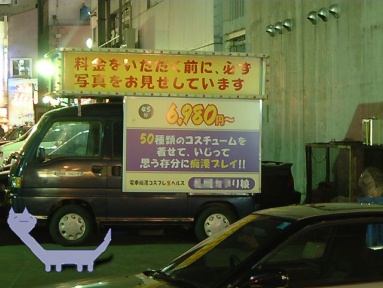
			<img src="/res/1101/11019859905/huyajo-384x288q95-11019858773.jpg" width="384" height="288" alt="歓楽街を歩き回るシラネーヨ">
		</div>

		<div class="bg_yellow">
			<div class="shiraneyo"><div class="green"><p>夜の街を冒険したーヨ</p></div></div>
			<div class="shiraneyo"><div class="green"><p>ネオンの明かりが眩しかったーヨ</p></div></div>
			<div class="shiraneyo"><div class="green"><p>夜の街は誘惑でいっぱいだーヨ</p></div></div>
			<div class="shiraneyo"><div class="orange"><p>狭い路地を歩いてみたーヨ</p></div></div>
			<div class="shiraneyo"><div class="orange"><p>怖い人に囲まれたーヨ</p></div></div>
			<div class="shiraneyo"><div class="red"><p>オレは何もしてネーヨ　何もシラネーヨ</p></div></div>
			<div class="shiraneyo"><div class="green"><p>どうにか逃げられたーヨ</p></div></div>
			<div class="shiraneyo"><div class="green"><p>夜の街は危険だーヨ</p></div></div>
			<div class="shiraneyo"><div class="green"><p>危険と誘惑でいっぱいだったーヨ</p></div></div>
		</div>

		<div class="bg_orange">
			<div class="shiraneyo"><div class="yellow"><p>飯島愛ちゃんの本を買いに行ったーヨ</p></div></div>
			<div class="shiraneyo"><div class="yellow"><p>どこにあるか見つけられなかったーヨ</p></div></div>
			<div class="shiraneyo"><div class="yellow"><p>明日も行ってみるーヨ</p></div></div>
			<div class="shiraneyo"><div class="white"><p>今日も飯島愛ちゃんの本を買いに行ったーヨ</p></div></div>
			<div class="shiraneyo"><div class="white"><p>やぱーりなかったーヨ</p></div></div>
			<div class="shiraneyo"><div class="white"><p>愛ちゃんはガードがかたすぎるーヨ</p></div></div>
			<div class="shiraneyo"><div class="blue"><p>飯島愛ちゃんの本があったーヨ</p></div></div>
			<div class="shiraneyo"><div class="blue"><p>立ち読みしてみたーヨ</p></div></div>
			<div class="shiraneyo"><div class="red"><p>恥ずかしい内容だったーヨ　愛ちゃんはすごいーヨ</p></div></div>
		</div>

		<div class="bg_blue">
			<div class="shiraneyo"><div class="white"><p>留守番電話を買ったーヨ</p></div></div>
			<div class="shiraneyo"><div class="white"><p>メッセージを入れてみたーヨ</p></div></div>
			<div class="shiraneyo"><div class="white"><p>自信作だーヨ</p></div></div>
			<div class="sound">
				<a href="/res/1103/rusuden-11031080802.mp3"><img src="/res/1102/speaker-24x22-11020797612.png" width="24" height="22" alt="*"> MP3</a>
			</div>
			<div class="shiraneyo"><div class="orange"><p>♪「シラネーヨ」</p></div></div>
			<div class="shiraneyo"><div class="orange"><p>♪「ただいま留守にしてるーヨ」</p></div></div>
			<div class="shiraneyo"><div class="orange"><p>♪「30秒以内で話すーヨ」</p></div></div>
			<div class="shiraneyo"><div class="yellow"><p>留守電のメッセージは緊張するーヨ</p></div></div>
			<div class="shiraneyo"><div class="red"><p>どんどん電話してほしーヨ</p></div></div>
			<div class="shiraneyo"><div class="yellow"><p>今日から家に帰るのが楽しみだーヨ</p></div></div>
		</div>

		<div class="bg_yellow">
			<div class="shiraneyo"><div class="green"><p>某ゴム製品を買いにきたーヨ</p></div></div>
			<div class="shiraneyo"><div class="green"><p>このクスリ屋さんにはないみたいだーヨ</p></div></div>
			<div class="shiraneyo"><div class="green"><p>ほかのお店で探すことにするーヨ</p></div></div>
			<div class="shiraneyo"><div class="orange"><p>今日はマツキヨにきたーヨ</p></div></div>
			<div class="shiraneyo"><div class="orange"><p>某ゴム製品を見つけたーヨ</p></div></div>
			<div class="shiraneyo"><div class="orange"><p>単品で買うのには抵抗がありすぎることに気づいたーヨ</p></div></div>
			<div class="shiraneyo"><div class="blue"><p>某ゴム製品を買ってきたーヨ</p></div></div>
			<div class="shiraneyo"><div class="blue"><p>綿棒とか目薬とかどうでもいいものまで買ってしまったーヨ</p></div></div>
			<div class="shiraneyo"><div class="white"><p>オレはつくづく小心者だと思うーヨ</p></div></div>
		</div>

		<div class="bg_green">
			<div class="hikky">
				<p>昨日のシラネーヨ　少し無理してたよ<br>
				みんなの機嫌を取ろうとして　でもそれができなくて<br>
				シラネーヨは落ち込んでいるようだった
				</p>

				<p>ちっともおかしくないよ<br>
				「氏ね」とか「詩ね」とか「市ね」っていわれたら<br>
				だれだって嫌な気分になる
				</p>

				<p>そんな品のないことを平気でいう人たちに<br>
				シラネーヨが合わせることなんか　ないんだ
				</p>

				<p>シラネーヨもっと自分に自信を持った方がいいよ<br>
				シラネーヨはマターリを象徴する唯一の存在<br>
				ドキュンたちなんか無視すればいいんだ
				</p>
			</div>
		</div>
	</div>]]>
   </content>
</entry>
<entry>
   <title>シラネーヨのキャラ電 技術資料</title>
   <link rel="alternate" type="text/html" href="http://yumi-ii.squares.net/shiraneyo/archives/2004/11/20041110222520.html" />
   <id>tag:yumi-ii.squares.net,2004:/shiraneyo//3.4179</id>
   
   <published>2004-11-10T13:25:20Z</published>
   <updated>2008-04-04T23:14:17Z</updated>
   
   <summary>2Dキャラ電を作る際に気づいたこと，シラネーヨのキャラ電の設定資料を公開します。</summary>
   <author>
      <name>MURONO</name>
      
   </author>
         <category term="300.技術資料" scheme="http://www.sixapart.com/ns/types#category" />
   
   
   <content type="html" xml:lang="ja" xml:base="http://yumi-ii.squares.net/shiraneyo/">
      <![CDATA[			<h4>はじめに</h4>

			<p>このページでは，2Dキャラ電を作る際に気づいたこと，シラネーヨのキャラ電の設定資料を公開します。
			</p>]]>
      <![CDATA[			<p>現在（2004/11/10），キャラ電の開発資料はNTT DoCoMo提供の仕様書以外にこれといったものがなく，お世辞にも充実しているとは言えない状況です。私はキャラ電の仕様書を読んではみたものの（仕様書へのリンクはこの文章の末尾にあります），あまり内容が理解できませんでした。もしかしたらゲーム業界の人なら，あっさりと用語や考え方を理解できるのかもしれませんが，畑違いの人間だからなのか「思ったとおりにならない」なんてことがよくありました。
			</p>
			<p>それでも最終的に動くものはできたので，そこに行き着くまでに解決した問題を書き残しておきます。
			</p>

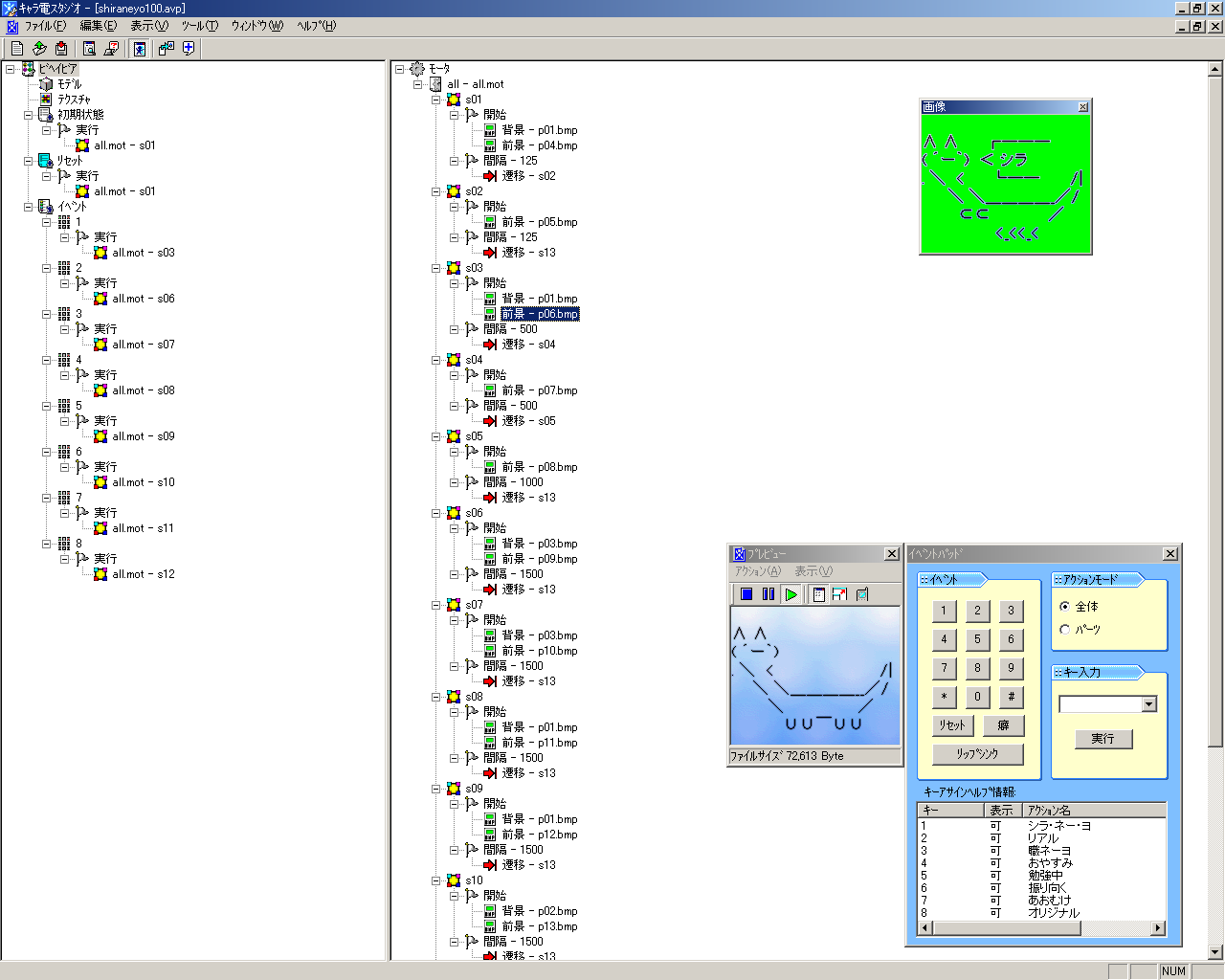
			<a href="/res/1100/cdenv102-1280x1024-11003389760.png"><img src="/res/1100/cdenv102-384x307-11003389771.png" width="384" height="307" alt="キャラ電スタジオVer.1.02"></a>

			<p>＜画像の説明＞キャラ電スタジオVer.1.02の画面。
			</p>			

<!--
-->

			<h4>2Dキャラ電にまつわる数々の罠</h4>

			<h5>テクスチャの数</h5>
			<p>仕様書には「モデルに設定するテクスチャは16個まで使用可能」という記述があります。「テクスチャ」というからポリゴンに貼り付ける画像だけに制限があるのかと思ったら，前景・背景も含むようです。つまりテクスチャの数＝画像ファイルの数でこの上限は16です。
			</p>

			<h5>画像ファイルの場所</h5>
			<p>画像ファイルはプロジェクトファイルと同じフォルダに置いた方が良さそうです。作り始めの頃は，プロジェクトファイルと画像ファイルのフォルダを分けていたのですが，キャラ電スタジオを使っている間に「画像ファイルが見つからない」というエラーになることがたびたびありました。原因不明ですが（思い当たりそうな原因をあえて指摘しないだけですが←なぞ），ファイルを同じフォルダに置いたら解決できたので，似たような症状でお悩みの方はファイルの場所に注意してみてください。
			</p>

			<h5>モータと全体アクション</h5>
			<p>いちばん難解だったのは「モータ」だったのかもしれません。どうして「かもしれない」なのかというと，はじめは「何が分からないのかが分からない」という最悪の状態だったのです。後になって「モータで躓いていたのかな」と振り返ることができたというわけです。
			</p>

			<p>仕様書には3Dキャラ電の作り方は詳しく書いてありますが，2Dキャラ電はあまり書かれていません（書かれていたのかもしれませんが，記述に気づきませんでした）。頼みの綱のサンプルコードは2コマのアニメーションで，扱うイベントの数もひとつでした。「それ以上のときはどうなるのさ」というあたりの疑問が解決するまで時間が掛かってしまったのです。
			</p>

			<p>いろいろやってみたところ，ひとつのモーターにすべてのステートを実装してしまえば良いようです。実際それでうまくいきました。
			</p>

			<h5>GIF89aとBMP</h5>
			<p>2Dキャラ電に使う画像ファイルは，GIF89aかBMP（8ビットカラー）でなければなりません。GIFはGIFでもGIF87aには対応していないそうです。私はGIF89aで保存できるソフトを所持していなかったので，BMPを使うことにしました。
			</p>

			<p>BMPでは透明色の設定が厄介に思えました。暗黙で先頭パレットが透明色になるので，パレットを入れ替えなければなりませんでした。「いったいどうすれば」と思って探してみたらありました。パレットの入れ替えソフトに<a href="http://www.vector.co.jp/vpack/filearea/win/art/graphics/palette/">Ｋ−Ｋさんの「パレットエディタ 0.97」</a>を使わせていただいたところ，意外とラクチンに作業が進みました。
			</p>

			<h5>キャラ電のContent Type</h5>
			<p>WWWでコンテンツを配信するときの話です。キャラ電を配信する方法には，&lt;A&gt;タグを使う方法と，&lt;OBJECT&gt;タグを使う方法の2種類が用意されています。キャラ電のContent Typeは「application/x-avatar」です。WWWサーバに設定が必要なのかと思っていましたが，とくに設定なしで移動機でダウンロードできるようです。
			</p>

			<p>ただしこの動作が検証できたのは，&lt;OBJECT&gt;タグでダウンロードした場合のみです。&lt;A&gt;タグの場合は分かりません。&lt;OBJECT&gt;タグでは属性にContent Typeを指定するため，WWWサーバの設定が不要なのだと思います。<strong>【追記 16 JUN 2005】</strong> 現在は「.htaccess」にてダウンロード時にapplication/x-avatarを送るようにしています。実機ではContent Typeの設定なしでも動くようなのですが仕様上まずいようです。
			</p>

			<h5>映像品質の問題</h5>
			<p>キャラ電の動画をテレビ電話に使うと，映像品質が恐ろしく低くてがっかりするのではないでしょうか。テレビ電話の規格は元々，実写（とくに人間の顔）を撮ることを目的としているはずです。CGのように人工的な輪郭のある映像はテレビ電話に向かないはずなのです。
			</p>

			<p>「シラネーヨのキャラ電」ではテレビ電話の特性に歩み寄るために，意図的に画像の解像度（縦横の大きさではなくて分解能という意味）をほどほどに落とすことにしました。効果をよく検証したわけではないので，どこまで品質に貢献したのか不明ですがいくらかマシなはずです。（注意：「設定資料」には解像度を劣化させていない素の画像を載せています。）
			</p>

<iframe src="http://rcm-jp.amazon.co.jp/e/cm?t=yumiii0b-22&o=9&p=48&l=st1&mode=books-jp&search=%E6%90%BA%E5%B8%AF%E3%80%80%E5%88%B6%E4%BD%9C&fc1=&lt1=_blank&lc1=&bg1=eeeeee&f=ifr" marginwidth="0" marginheight="0" width="728" height="90" border="0" frameborder="0" style="border:none;" scrolling="no"></iframe>
			<h4>設定資料</h4>
			<h5>状態遷移表（全体アクション一覧）</h5>
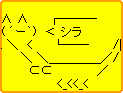
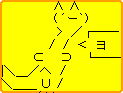
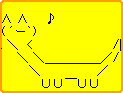
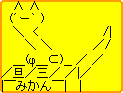
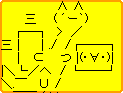
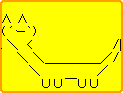
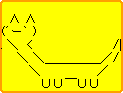
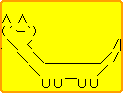
			<p>シラネーヨのキャラ電の状態遷移表です。いわゆる絵コンテのようなものです。状態名を「s01〜s13」，画像名を「p01〜p16」として，事象（イベント）が発生してからの状態遷移をまとめました。なお「<em>N/A</em>」はNot Applicable，該当なしという意味です。
			</p>

			<TABLE>
				<TBODY>
				<TR>
				<th>状態</TH>
				<th>事象</TH>
				<TH noWrap colspan="2">出力</TH>
				<TH noWrap colspan="2">背景</TH>
				<th>時間</TH>
				<th>次状態</TH>
				<th>フレーム</TH></TR>
				<TR>
				<td>s01</TD>
				<td>0キー押下/キャラクター登場時</TD>
				<td>p04</TD>
				<td><IMG src="/res/1100/11001693021/image001.gif" width="176" height="144" alt=""></TD>
				<td>p01</TD>
				<td><IMG src="/res/1100/11001693021/image002.png" width="176" height="144" alt=""></TD>
				<td>1/8sec</TD>
				<td>s02</TD>
				<td>リセット1/2</TD></TR>
				<TR>
				<td>s02</TD>
				<td><EM>N/A</EM></TD>
				<td>p05</TD>
				<td><IMG src="/res/1100/11001693021/image003.gif" width="176" height="144" alt=""></TD>
				<td>p01</TD>
				<td><IMG src="/res/1100/11001693021/image002.png" width="176" height="144" alt=""></TD>
				<td>1/8sec</TD>
				<td>s13</TD>
				<td>リセット2/2</TD></TR>
				<TR>
				<td>s03</TD>
				<td>1キー押下</TD>
				<td>p06</TD>
				<td><IMG src="/res/1100/11001693021/image004.gif" width="176" height="144" alt=""></TD>
				<td>p01</TD>
				<td><IMG src="/res/1100/11001693021/image002.png" width="176" height="144" alt=""></TD>
				<td>1/2sec</TD>
				<td>s04</TD>
				<td>シラ・ネー・ヨ1/3</TD></TR>
				<TR>
				<td>s04</TD>
				<td><EM>N/A</EM></TD>
				<td>p07</TD>
				<td><IMG src="/res/1100/11001693021/image006.gif" width="176" height="144" alt=""></TD>
				<td>p01</TD>
				<td><IMG src="/res/1100/11001693021/image002.png" width="176" height="144" alt=""></TD>
				<td>1/2sec</TD>
				<td>s05</TD>
				<td>シラ・ネー・ヨ2/3</TD></TR>
				<TR>
				<td>s05</TD>
				<td><EM>N/A</EM></TD>
				<td>p08</TD>
				<td><IMG src="/res/1100/11001693021/image007.gif" width="176" height="144" alt=""></TD>
				<td>p01</TD>
				<td><IMG src="/res/1100/11001693021/image002.png" width="176" height="144" alt=""></TD>
				<td>1sec</TD>
				<td>s13</TD>
				<td>シラ・ネー・ヨ3/3</TD></TR>
				<TR>
				<td>s06</TD>
				<td>2キー押下</TD>
				<td>p09</TD>
				<td><IMG src="/res/1100/11001693021/image008.gif" width="176" height="144" alt=""></TD>
				<td>p03</TD>
				<td><IMG src="/res/1100/11001693021/image009.png" width="176" height="144" alt=""></TD>
				<td>3/2sec</TD>
				<td>s13</TD>
				<td>リアル・シラネーヨ</TD></TR>
				<TR>
				<td>s07</TD>
				<td>3キー押下</TD>
				<td>p10</TD>
				<td><IMG src="/res/1100/11001693021/image010.gif" width="176" height="144" alt=""></TD>
				<td>p03</TD>
				<td><IMG src="/res/1100/11001693021/image009.png" width="176" height="144" alt=""></TD>
				<td>3/2sec</TD>
				<td>s13</TD>
				<td>職ネーヨ</TD></TR>
				<TR>
				<td>s08</TD>
				<td>4キー押下</TD>
				<td>p11</TD>
				<td><IMG src="/res/1100/11001693021/image011.gif" width="176" height="144" alt=""></TD>
				<td>p01</TD>
				<td><IMG src="/res/1100/11001693021/image002.png" width="176" height="144" alt=""></TD>
				<td>3/2sec</TD>
				<td>s13</TD>
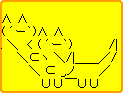
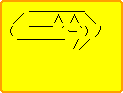
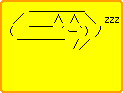
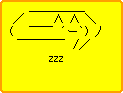
				<td>おやすみ</TD></TR>
				<TR>
				<td>s09</TD>
				<td>5キー押下</TD>
				<td>p12</TD>
				<td><IMG src="/res/1100/11001693021/image012.gif" width="176" height="144" alt=""></TD>
				<td>p01</TD>
				<td><IMG src="/res/1100/11001693021/image002.png" width="176" height="144" alt=""></TD>
				<td>3/2sec</TD>
				<td>s13</TD>
				<td>勉強中</TD></TR>
				<TR>
				<td>s10</TD>
				<td>6キー押下</TD>
				<td>p13</TD>
				<td><IMG src="/res/1100/11001693021/image013.gif" width="176" height="144" alt=""></TD>
				<td>p02</TD>
				<td><IMG src="/res/1100/11001693021/image005.png" width="176" height="144" alt=""></TD>
				<td>3/2sec</TD>
				<td>s13</TD>
				<td>振り向く</TD></TR>
				<TR>
				<td>s11</TD>
				<td>7キー押下</TD>
				<td>p14</TD>
				<td><IMG src="/res/1100/11001693021/image014.gif" width="176" height="144" alt=""></TD>
				<td>p02</TD>
				<td><IMG src="/res/1100/11001693021/image005.png" width="176" height="144" alt=""></TD>
				<td>3/2sec</TD>
				<td>s13</TD>
				<td>あおむけ</TD></TR>
				<TR>
				<td>s12</TD>
				<td>8キー押下</TD>
				<td>p15</TD>
				<td><IMG src="/res/1100/11001693021/image015.gif" width="176" height="144" alt=""></TD>
				<td>p02</TD>
				<td><IMG src="/res/1100/11001693021/image005.png" width="176" height="144" alt=""></TD>
				<td>3/2sec</TD>
				<td>s13</TD>
				<td>オリジナル</TD></TR>
				<TR>
				<td>s13</TD>
				<td><EM>N/A</EM></TD>
				<td>p16</TD>
				<td><IMG src="/res/1100/11001693021/image016.gif" width="176" height="144" alt=""></TD>
				<td>p01</TD>
				<td><IMG src="/res/1100/11001693021/image002.png" width="176" height="144" alt=""></TD>
				<td><EM>N/A</EM></TD>
				<td><EM>N/A</EM></TD>
				<td>基本姿勢</TD></TR></TBODY></TABLE>

				<h5>画像の割り当て</h5>

				<TABLE>
				<TBODY>
				<TR>
				<th>画像名</th>
				<th>画像</th>
				<th>画像サイズ</th>
				<th>名称</th></TR>
				<TR>
				<td>p01</td>
				<td><IMG src="/res/1100/11001693021/image002.png" width="176" height="144" alt=""></td>
				<td>QCIF(176x144)</TD>
				<td>背景1</TD></TR>
				<TR>
				<td>p02</td>
				<td><IMG src="/res/1100/11001693021/image005.png" width="176" height="144" alt=""></td>
				<td>QCIF(176x144)</TD>
				<td>背景2</TD></TR>
				<TR>
				<td>p03</td>
				<td><IMG src="/res/1100/11001693021/image009.png" width="176" height="144" alt=""></td>
				<td>QCIF(176x144)</TD>
				<td>背景3</TD></TR>
				<TR>
				<td>p04</td>
				<td><IMG src="/res/1100/11001693021/image001.gif" width="176" height="144" alt=""></td>
				<td>QCIF(176x144)</TD>
				<td>リセット1/2</TD></TR>
				<TR>
				<td>p05</td>
				<td><IMG src="/res/1100/11001693021/image003.gif" width="176" height="144" alt=""></td>
				<td>QCIF(176x144)</TD>
				<td>リセット2/2</TD></TR>
				<TR>
				<td>p06</td>
				<td><IMG src="/res/1100/11001693021/image004.gif" width="176" height="144" alt=""></td>
				<td>QCIF(176x144)</TD>
				<td>シラ・ネー・ヨ1/3</TD></TR>
				<TR>
				<td>p07</td>
				<td><IMG src="/res/1100/11001693021/image006.gif" width="176" height="144" alt=""></td>
				<td>QCIF(176x144)</TD>
				<td>シラ・ネー・ヨ2/3</TD></TR>
				<TR>
				<td>p08</td>
				<td><IMG src="/res/1100/11001693021/image007.gif" width="176" height="144" alt=""></td>
				<td>QCIF(176x144)</TD>
				<td>シラ・ネー・ヨ3/3</TD></TR>
				<TR>
				<td>p09</td>
				<td><IMG src="/res/1100/11001693021/image008.gif" width="176" height="144" alt=""></td>
				<td>QCIF(176x144)</TD>
				<td>リアル・シラネーヨ</td></TR>
				<TR>
				<td>p10</td>
				<td><IMG src="/res/1100/11001693021/image010.gif" width="176" height="144" alt=""></td>
				<td>QCIF(176x144)</TD>
				<td>職ネーヨ</td></TR>
				<TR>
				<td>p11</td>
				<td><IMG src="/res/1100/11001693021/image011.gif" width="176" height="144" alt=""></td>
				<td>QCIF(176x144)</TD>
				<td>おやすみ</td></TR>
				<TR>
				<td>p12</td>
				<td><IMG src="/res/1100/11001693021/image012.gif" width="176" height="144" alt=""></td>
				<td>QCIF(176x144)</TD>
				<td>勉強中</td></TR>
				<TR>
				<td>p13</td>
				<td><IMG src="/res/1100/11001693021/image013.gif" width="176" height="144" alt=""></td>
				<td>QCIF(176x144)</TD>
				<td>振り向く</td></TR>
				<TR>
				<td>p14</td>
				<td><IMG src="/res/1100/11001693021/image014.gif" width="176" height="144" alt=""></td>
				<td>QCIF(176x144)</TD>
				<td>あおむけ</td></TR>
				<TR>
				<td>p15</td>
				<td><IMG src="/res/1100/11001693021/image015.gif" width="176" height="144" alt=""></td>
				<td>QCIF(176x144)</TD>
				<td>オリジナル</td></TR>
				<TR>
				<td>p16</td>
				<td><IMG src="/res/1100/11001693021/image016.gif" width="176" height="144" alt=""></td>
				<td>QCIF（176x144）</TD>
				<td>基本姿勢</td></TR></TBODY>
			</TABLE>

			<h4>ソースファイル</h4>

			<h5>ファイルの説明</h5>
			<ol>
				<li>shiraneyo100.afd ― キャラ電データ</li>
				<li>shiraneyo100.avp ― プロジェクト</li>
				<li>shiraneyo100.bhv ― ビヘイビア</li>
				<li>all.mot ― モータ</li>
				<li>help0.txt ― 全体アクションのキーアサインヘルプ情報</li>
				<li>help1.txt ― パーツアクションのキーアサインヘルプ情報（未使用）</li>
			</ol>

			<h5>shiraneyo100.afd</h5>

			<p><a href="/res/1100/11000931205/shiraneyo100.afd">shiraneyo100.afd</a>
			</p>

			<h5>shiraneyo100.avp</h5>
<pre>
&lt;path&gt;
p01.bmp=.
p02.bmp=.
p03.bmp=.
p04.bmp=.
p05.bmp=.
p06.bmp=.
p07.bmp=.
p08.bmp=.
p09.bmp=.
p10.bmp=.
p11.bmp=.
p12.bmp=.
p13.bmp=.
p14.bmp=.
p15.bmp=.
p16.bmp=.

&lt;header&gt;
redistribute=1
id_creater=0
id_avator=0
replace-action=0
replace_texture=0
resize=0
rotate=0
name=SHIRANEYO_V100

&lt;bones&gt;

</pre>

	<h5>shiraneyo100.bhv</h5>

<pre>
behavior {
	motor { all.mot }
	document { help0.txt help1.txt }
	start {
		set { all.mot:s01 }
	}
	reset {
		set { all.mot:s01 }
	}
	event 1 {
		set { all.mot:s03 }
	}
	event 2 {
		set { all.mot:s06 }
	}
	event 3 {
		set { all.mot:s07 }
	}
	event 4 {
		set { all.mot:s08 }
	}
	event 5 {
		set { all.mot:s09 }
	}
	event 6 {
		set { all.mot:s10 }
	}
	event 7 {
		set { all.mot:s11 }
	}
	event 8 {
		set { all.mot:s12 }
	}
}
</pre>

	<h5>all.mot</h5>

<pre>
! all
s01 : -  {
	start { setbg p01.bmp; setfg p04.bmp }
	time 125 { goto s02 }
}
s02 : -  {
	start { setfg p05.bmp }
	time 125 { goto s13 }
}
s03 : -  {
	start { setbg p01.bmp; setfg p06.bmp }
	time 500 { goto s04 }
}
s04 : -  {
	start { setfg p07.bmp }
	time 500 { goto s05 }
}
s05 : -  {
	start { setfg p08.bmp }
	time 1000 { goto s13 }
}
s06 : -  {
	start { setbg p03.bmp; setfg p09.bmp }
	time 1500 { goto s13 }
}
s07 : -  {
	start { setbg p03.bmp; setfg p10.bmp }
	time 1500 { goto s13 }
}
s08 : -  {
	start { setbg p01.bmp; setfg p11.bmp }
	time 1500 { goto s13 }
}
s09 : -  {
	start { setbg p01.bmp; setfg p12.bmp }
	time 1500 { goto s13 }
}
s10 : -  {
	start { setbg p02.bmp; setfg p13.bmp }
	time 1500 { goto s13 }
}
s11 : -  {
	start { setbg p02.bmp; setfg p14.bmp }
	time 1500 { goto s13 }
}
s12 : -  {
	start { setbg p02.bmp; setfg p15.bmp }
	time 1500 { goto s13 }
}
s13 : -  {
	start { setbg p01.bmp; setfg p16.bmp }
}
</pre>

	<h5>help0.txt</h5>

<pre>
8
&quot;1&quot;,1,&quot;シラ・ネー・ヨ&quot;
&quot;2&quot;,1,&quot;リアル&quot;
&quot;3&quot;,1,&quot;職ネーヨ&quot;
&quot;4&quot;,1,&quot;おやすみ&quot;
&quot;5&quot;,1,&quot;勉強中&quot;
&quot;6&quot;,1,&quot;振り向く&quot;
&quot;7&quot;,1,&quot;あおむけ&quot;
&quot;8&quot;,1,&quot;オリジナル&quot;
</pre>

<h5>help1.txt</h5>
<pre>
0
</pre>

			<h4>関連リンク</h4>

			<ul>
				<li><a href="http://www.nttdocomo.co.jp/service/imode/make/content/chara_den/index.html">作ろうiモードコンテンツ キャラ電</a> ― NTT DoCoMoによるキャラ電の技術情報</li>
				<li><a href="http://www.hicorp.co.jp/">エイチアイ</a> ― キャラ電の開発元</li> 
				<li><a href="http://www.hicorp.co.jp/press/for_press/press_031226.html">キャラ電のプレスリリース記事</a> ― エイチアイによるプレスリリース </li>
			</ul>]]>
   </content>
</entry>
<entry>
   <title>シラネーヨのキャラ電</title>
   <link rel="alternate" type="text/html" href="http://yumi-ii.squares.net/shiraneyo/archives/2004/11/20041109183455.html" />
   <id>tag:yumi-ii.squares.net,2004:/shiraneyo//3.4178</id>
   
   <published>2004-11-09T09:34:55Z</published>
   <updated>2007-04-24T10:02:55Z</updated>
   
   <summary>		 			 			紹介文 			2ちゃんねるアスキーアートキャラクター「シラネ...</summary>
   <author>
      <name>MURONO</name>
      
   </author>
   
   
   <content type="html" xml:lang="ja" xml:base="http://yumi-ii.squares.net/shiraneyo/">
      <![CDATA[		<div class="yumi-ii_content">
			
			<h4>紹介文</h4>
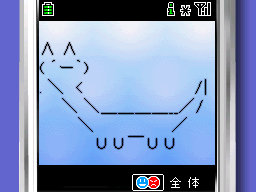
			<p>2ちゃんねるアスキーアートキャラクター「シラネーヨ」のキャラ電（アバタ）を作りました。NTT DoCoMo FOMA 900iシリーズ以降で動きます。キャラ電はテレビ電話のアバタにしたり，単独でアニメーションさせたりできます。
			</p>

			<img src="/res/1100/cden-256x192-11002454953.png" width="256" height="192" alt="キャラ電の画面例">
			<p>＜画像の説明＞PCのキャラ電エミュレータの画面です。携帯電話でキャラ電を動かすとだいたいこんな表示になります。
			</p>

			<h4>ダウンロード</h4>
			<p>キャラ電は携帯電話でダウンロードします。まず携帯電話でダウンロードページにアクセスしてください。QRコードでアクセスすると簡単です。※PCからダウンロードしたい方は，「設定資料とソース」のページからダウンロードできます。
			</p>

			<table>
				<tr>
					<th>バージョン</th>
					<th>公開日</th>
					<th>状態</th>
					<th>DLページ</th>
					<th>技術資料</th>
				</tr>
				<tr>
					<td nowrap>1.00
					</td>
					<td nowrap>11 NOV 2004
					</td>
					<td nowrap>公開中
					</td>


					<td><a href="/res/1108/196x196-11085646285.png">QRコード <img src="/res/1108/196x196-11085646285.png" width="10" height="10" alt="QR" ></a> | <a href="mailto:@docomo.ne.jp?body=http://yumi-ii.squares.net/res/1100/11000931205.html">URLをメールで送る</a> | <a href="/res/1100/11000931205.html">直接移動</a>
					</td>
					<td><a href="/shiraneyo/archives/2004/11/20041110222520.html">設定資料とソース</a>
					</td>
				</tr>

				<tr>
					<td><br></td>
					<td><br></td>
					<td><br></td>
					<td><br></td>
					<td><br></td>
				</tr>

				<tr>
					<td><br></td>
					<td><br></td>
					<td><br></td>
					<td><br></td>
					<td><br></td>
				</tr>

			</table>

			<div class="shop">
				<script type="text/javascript"><!--
				google_ad_client = "pub-9346660154799742";
				google_ad_width = 728;
				google_ad_height = 90;
				google_ad_format = "728x90_as";
				google_ad_channel ="0654482852";
				google_color_border = "0099FF";
				google_color_bg = "FFFFFF";
				google_color_link = "000000";
				google_color_url = "0066FF";
				google_color_text = "000000";
				//--></script>
				<script type="text/javascript"
				src="http://pagead2.googlesyndication.com/pagead/show_ads.js">
				</script>
			</div>

			<h4>インストール方法</h4>
			<p>ダウンロードが完了したなら，同時にインストールも完了しています。
			</p>

			<h4>アンインストール方法</h4>
			<p>手動でキャラ電のデータを削除してください。操作方法は携帯電話の機種ごとに違います。詳しくは，ご利用の携帯電話の取り扱い説明書をご覧ください。
			</p>

			<h4>アクション一覧</h4>
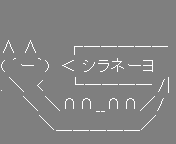
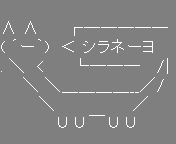
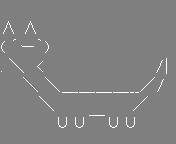
			<p>各キーに割り当てられたキャラクターアニメーションの紹介です。アクション名は「<a href="http://www.geocities.co.jp/Milano-Killer/4674/">シラネーヨ祭</a>」さん提唱の呼び名を使わせていただきました。
			</p>

			<table>
				<tr>
					<th>キー
					</th>
					<th>アクション名
					</th>
					<th>アニメーション
					</th>
				</tr>

				<tr>
					<td>1キー
					</td>
					<td>シラ・ネー・ヨ</td>
					<td>
<img src="/res/1100/1-1-88x72-11000897237.png" width="88" height="72" alt=""><img src="/res/1100/1-2-88x72-11000897271.png" width="88" height="72" alt=""><img src="/res/1100/1-3-88x72-11000897325.png" width="88" height="72" alt="">
					</td>
				</tr>

				<tr>
					<td>2キー
					</td>
					<td>リアル</td>
					<td>
<img src="/res/1100/2-88x72-11000897381.png" width="88" height="72" alt="">
					</td>
				</tr>

				<tr>
					<td>3キー
					</td>
					<td>職ネーヨ</td>
					<td>
<img src="/res/1100/3-88x72-11000897457.png" width="88" height="72" alt="">
					</td>
				</tr>

				<tr>
					<td>4キー
					</td>
					<td>おやすみ</td>
					<td>
<img src="/res/1100/4-88x72-11000897534.png" width="88" height="72" alt="">
					</td>
				</tr>

				<tr>
					<td>5キー
					</td>
					<td>勉強中</td>
					<td>
<img src="/res/1100/5-88x72-11000897622.png" width="88" height="72" alt="">
					</td>
				</tr>

				<tr>
					<td>6キー
					</td>
					<td>振り向く</td>

					<td>
<img src="/res/1100/6-88x72-11000897701.png" width="88" height="72" alt="">
					</td>
				</tr>

				<tr>
					<td>7キー
					</td>
					<td>あおむけ</td>

					<td>
<img src="/res/1100/7-88x72-11000897765.png" width="88" height="72" alt="">
					</td>
				</tr>

				<tr>
					<td>8キー
					</td>
					<td>オリジナル</td>
					<td>
<img src="/res/1100/8-88x72-11000897831.png" width="88" height="72" alt="">
					</td>
				</tr>

				<tr>
					<td>9キー
					</td>
					<td>―</td>
					<td>―</td>
				</tr>


				<tr>
					<td>0キー
					</td>
					<td>リセット
					</td>

					<td>
						<img src="/res/1100/0-1-88x72-11000897171.png" width="88" height="72" alt=""><img src="/res/1100/0-2-88x72-11000897182.png" width="88" height="72" alt=""><img src="/res/1100/9-88x72-11000897204.png" width="88" height="72" alt="">
					</td>
				</tr>

				
			</table>


			<h4>更新履歴</h4>
			<ul>
				<li>11 NOV 2004：Ver.1.00公開</li>
			</ul>

			<h4>謝辞</h4>
			<p>携帯アプリ＠2ch掲示板の「アプリの動作確認はここでタノメ。 」スレッドでは，キャラ電の動作確認にご協力いただきました。SH900i，D900iでの動作を報告してくれた155さんと156さん，ありがとうございました。
			</p>

			<h4>関連リンク</h4>
			<ul>
				<li><a href="/shiraneyo/archives/2004/11/20041110222520.html">シラネーヨのキャラ電 技術資料</a> ― キャラ電の作成資料</li>
				<li><a href="/shiraneyo/archives/2004/10/20041030195235.html">シラネーヨのOfficeアシスタント</a> ― Microsoft Officeで動作するOfficeアシスタント</li>
			</ul>


		</div>]]>
      
   </content>
</entry>
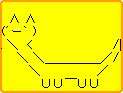
<entry>
   <title>シラネーヨのOfficeアシスタント 技術資料</title>
   <link rel="alternate" type="text/html" href="http://yumi-ii.squares.net/shiraneyo/archives/2004/11/20041101141331.html" />
   <id>tag:yumi-ii.squares.net,2004:/shiraneyo//3.4177</id>
   
   <published>2004-11-01T05:13:31Z</published>
   <updated>2007-04-24T10:02:55Z</updated>
   
   <summary>「シラネーヨのOfficeアシスタント」の技術資料です。アニメーション画像とAgent Character Definitionファイルの全文を公開しています。</summary>
   <author>
      <name>MURONO</name>
      
   </author>
         <category term="300.技術資料" scheme="http://www.sixapart.com/ns/types#category" />
   
   
   <content type="html" xml:lang="ja" xml:base="http://yumi-ii.squares.net/shiraneyo/">
      <![CDATA[			<h4>はじめに</h4>
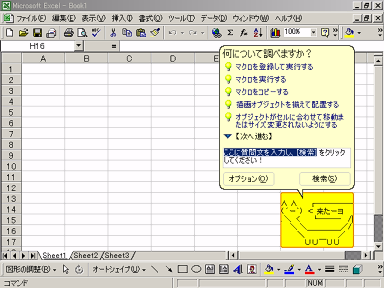
			<p>このページは「<a href="/shiraneyo/archives/2004/10/20041030195235.html">シラネーヨのOfficeアシスタント</a>」の技術資料です。アニメーション画像とAgent Character Definitionファイルの全文を公開しています。
			</p>]]>
      <![CDATA[			<h4>アニメーション画像</h4>
			<p>今回はGIF画像にしてみました。アニメーションには条件分岐やらレイヤーやらが使えるようですが，コマを一枚一枚作った方が分かりやすいのであまり凝らないようにしました。
			</p>

			<table>
				<tr>
					<th>
						Animation
					</th>
					<th>
						Image(s)
					</th>
				</tr>
				<TR>
					<TD>Alert</TD>
					<TD>
						<IMG height="93" alt="*" src="/res/1099/10992827428/Alert/001.gif" width="123">
						<IMG height="93" alt="*" src="/res/1099/10992827428/Alert/002.gif" width="123">
						<IMG height="93" alt="*" src="/res/1099/10992827428/Alert/003.gif" width="123">
						<IMG height="93" alt="*" src="/res/1099/10992827428/Alert/004.gif" width="123">
						<IMG height="93" alt="*" src="/res/1099/10992827428/Alert/005.gif" width="123">
						<IMG height="93" alt="*" src="/res/1099/10992827428/Alert/006.gif" width="123">
						<IMG height="93" alt="*" src="/res/1099/10992827428/Alert/007.gif" width="123">
						<IMG height="93" alt="*" src="/res/1099/10992827428/Alert/008.gif" width="123">
					</TD>
				</TR>
				<TR>
					<TD>CheckingSomething</TD>
					<TD>
						<IMG height="93" alt="*" src="/res/1099/10992827428/CheckingSomething/001.gif" width="123">
						<IMG height="93" alt="*" src="/res/1099/10992827428/CheckingSomething/002.gif" width="123">
						<IMG height="93" alt="*" src="/res/1099/10992827428/CheckingSomething/003.gif" width="123">
						<IMG height="93" alt="*" src="/res/1099/10992827428/CheckingSomething/004.gif" width="123"> 
					</TD>
				</TR>
				<TR>
					<TD>Congratulate</TD>
					<TD>
						 <img src="/res/1099/10992827428/Congratulate/001.gif" width="123" height="93" alt="*"></TD>
				</TR>
				<TR>
					<TD>EmptyTrash</TD>
					<TD> <img src="/res/1099/10992827428/EmptyTrash/001.gif" width="123" height="93"
								alt="*"></TD>
				</TR>
				<TR>
					<TD>Explain</TD>
					<TD><IMG height="93" alt="*" src="/res/1099/10992827428/Explain/001.gif" width="123">
							<IMG height="93" alt="*" src="/res/1099/10992827428/Explain/002.gif" width="123">
							<IMG height="93" alt="*" src="/res/1099/10992827428/Explain/003.gif" width="123">
							<IMG height="93" alt="*" src="/res/1099/10992827428/Explain/004.gif" width="123"></TD>
				</TR>
				<TR>
					<TD>GestureLeft</TD>
					<TD><IMG height="93" alt="*" src="/res/1099/10992827428/GestureLeft/001.gif"
								width="123"> <IMG height="93" alt="*" src="/res/1099/10992827428/GestureLeft/002.gif"
								width="123"></TD>
				</TR>
				<TR>
					<TD>GestureRight</TD>
					<TD><IMG height="93" alt="*" src="/res/1099/10992827428/GestureRight/001.gif"
								width="123"> <IMG height="93" alt="*" src="/res/1099/10992827428/GestureRight/002.gif"
								width="123"></TD>
				</TR>
				<TR>
					<TD>GestureUp</TD>
					<TD><IMG height="93" alt="*" src="/res/1099/10992827428/GestureUp/001.gif" width="123">
							<IMG height="93" alt="*" src="/res/1099/10992827428/GestureUp/002.gif" width="123"></TD>
				</TR>
				<TR>
					<TD>GestureDown</TD>
					<TD><IMG height="93" alt="*" src="/res/1099/10992827428/GestureDown/001.gif"
								width="123"> <IMG height="93" alt="*" src="/res/1099/10992827428/GestureDown/002.gif"
								width="123"></TD>
				</TR>
				<TR>
					<TD>GetArtsy</TD>
					<TD><IMG height="93" alt="*" src="/res/1099/10992827428/GetArtsy/001.gif" width="123">
						<IMG height="93" alt="*" src="/res/1099/10992827428/GetArtsy/002.gif" width="123">
					</TD>
				</TR>
				<TR>
					<TD>GetAttention</TD>
					<TD><IMG height="93" alt="*" src="/res/1099/10992827428/GetAttention/001.gif"
							width="123"> <IMG height="93" alt="*" src="/res/1099/10992827428/GetAttention/002.gif"
							width="123"> <IMG height="93" alt="*" src="/res/1099/10992827428/GetAttention/003.gif"
							width="123">
					</TD>
				</TR>
				<TR>
					<TD>GetTechy</TD>
					<TD><IMG height="93" alt="*" src="/res/1099/10992827428/GetTechy/001.gif" width="123">
						<IMG height="93" alt="*" src="/res/1099/10992827428/GetTechy/002.gif" width="123">
						<IMG height="93" alt="*" src="/res/1099/10992827428/GetTechy/003.gif" width="123">
					</TD>
				</TR>
				<TR>
					<TD>GetWizardy</TD>
					<TD><IMG height="93" alt="*" src="/res/1099/10992827428/GetWizardy/001.gif" width="123">
						<IMG height="93" alt="*" src="/res/1099/10992827428/GetWizardy/002.gif" width="123">
						<IMG height="93" alt="*" src="/res/1099/10992827428/GetWizardy/003.gif" width="123">
					</TD>
				</TR>
				<TR>
					<TD>Goodbye</TD>
					<TD><IMG height="93" alt="*" src="/res/1099/10992827428/Goodbye/001.gif" width="123">
						<IMG height="93" alt="*" src="/res/1099/10992827428/Goodbye/002.gif" width="123">
						<IMG height="93" alt="*" src="/res/1099/10992827428/Goodbye/003.gif" width="123">
						<IMG height="93" alt="*" src="/res/1099/10992827428/Goodbye/004.gif" width="123">
						<IMG height="93" alt="*" src="/res/1099/10992827428/Goodbye/005.gif" width="123">
					</TD>
				</TR>
				<TR>
					<TD>Greeting</TD>
					<TD><IMG height="93" alt="*" src="/res/1099/10992827428/Greeting/001.gif" width="123">
						<IMG height="93" alt="*" src="/res/1099/10992827428/Greeting/003.gif" width="123">
						<IMG height="93" alt="*" src="/res/1099/10992827428/Greeting/004.gif" width="123">
						<IMG height="93" alt="*" src="/res/1099/10992827428/Greeting/005.gif" width="123">
						<IMG height="93" alt="*" src="/res/1099/10992827428/Greeting/006.gif" width="123">
						<IMG height="93" alt="*" src="/res/1099/10992827428/Greeting/008.gif" width="123">
						<IMG height="93" alt="*" src="/res/1099/10992827428/Greeting/009.gif" width="123">
					</TD>
				</TR>
				<TR>
					<TD>Hearing_1</TD>
					<TD><IMG height="93" alt="*" src="/res/1099/10992827428/Hearing_1/001.gif" width="123">
						<IMG height="93" alt="*" src="/res/1099/10992827428/Hearing_1/002.gif" width="123">
						<IMG height="93" alt="*" src="/res/1099/10992827428/Hearing_1/003.gif" width="123">
					</TD>
				</TR>
				<TR>
					<TD>Hide</TD>
					<TD>
						<img src="/res/1099/10992827428/Hide/001.gif" width="123" height="93" alt="*"></TD>
				</TR>
				<TR>
					<TD>Idle1_1</TD>
					<TD><IMG height="93" alt="*" src="/res/1099/10992827428/Idle1_1/001.gif" width="123">
						<IMG height="93" alt="*" src="/res/1099/10992827428/Idle1_1/003.gif" width="123">
						<IMG height="93" alt="*" src="/res/1099/10992827428/Idle1_1/002.gif" width="123">
						<IMG height="93" alt="*" src="/res/1099/10992827428/Idle1_1/003.gif" width="123">
					</TD>
				</TR>
				<TR>
					<TD>Idle1_2</TD>
					<TD><IMG height="93" alt="*" src="/res/1099/10992827428/Idle1_2/002.gif" width="123">
						<IMG height="93" alt="*" src="/res/1099/10992827428/Idle1_2/001.gif" width="123">
						<IMG height="93" alt="*" src="/res/1099/10992827428/Idle1_2/003.gif" width="123">
						<IMG height="93" alt="*" src="/res/1099/10992827428/Idle1_2/004.gif" width="123">
						<IMG height="93" alt="*" src="/res/1099/10992827428/Idle1_2/005.gif" width="123">
						<IMG height="93" alt="*" src="/res/1099/10992827428/Idle1_2/006.gif" width="123">
					</TD>
				</TR>
				<TR>
					<TD>Idle1_3</TD>
					<TD><IMG height="93" alt="*" src="/res/1099/10992827428/Idle1_3/001.gif" width="123">
						<IMG height="93" alt="*" src="/res/1099/10992827428/Idle1_3/002.gif" width="123">
						<IMG height="93" alt="*" src="/res/1099/10992827428/Idle1_3/005.gif" width="123">
						<IMG height="93" alt="*" src="/res/1099/10992827428/Idle1_3/004.gif" width="123">
						<IMG height="93" alt="*" src="/res/1099/10992827428/Idle1_3/005.gif" width="123">
					</TD>
				</TR>
				<TR>
					<TD>Idle1_4</TD>
					<TD><IMG height="93" alt="*" src="/res/1099/10992827428/Idle1_4/002.gif" width="123">
						<IMG height="93" alt="*" src="/res/1099/10992827428/Idle1_4/003.gif" width="123">
						<IMG height="93" alt="*" src="/res/1099/10992827428/Idle1_4/004.gif" width="123">
						<IMG height="93" alt="*" src="/res/1099/10992827428/Idle1_4/005.gif" width="123">
					</TD>
				</TR>
				<TR>
					<TD>Idle2_1</TD>
					<TD><IMG height="93" alt="*" src="/res/1099/10992827428/Idle2_1/001.gif" width="123">
						<IMG height="93" alt="*" src="/res/1099/10992827428/Idle2_1/002.gif" width="123">
						<IMG height="93" alt="*" src="/res/1099/10992827428/Idle2_1/003.gif" width="123">
					</TD>
				</TR>
				<TR>
					<TD>Idle2_2</TD>
					<TD><IMG height="93" alt="*" src="/res/1099/10992827428/Idle2_2/001.gif" width="123">
						<IMG height="93" alt="*" src="/res/1099/10992827428/Idle2_2/002.gif" width="123">
						<IMG height="93" alt="*" src="/res/1099/10992827428/Idle2_2/003.gif" width="123"></TD>
				</TR>
				<TR>
					<TD>Idle3_1</TD>
					<TD><IMG height="93" alt="*" src="/res/1099/10992827428/Idle3_1/001.gif" width="123">
							<IMG height="93" alt="*" src="/res/1099/10992827428/Idle3_1/003.gif" width="123">
							<IMG height="93" alt="*" src="/res/1099/10992827428/Idle3_1/004.gif" width="123">
							<IMG height="93" alt="*" src="/res/1099/10992827428/Idle3_1/005.gif" width="123">
							<IMG height="93" alt="*" src="/res/1099/10992827428/Idle3_1/001.gif" width="123">
						
					</TD>
				</TR>
				<TR>
					<TD>Idle3_2</TD>
					<TD><IMG height="93" alt="*" src="/res/1099/10992827428/Idle3_2/001.gif" width="123">
						<IMG height="93" alt="*" src="/res/1099/10992827428/Idle3_2/002.gif" width="123">
						<IMG height="93" alt="*" src="/res/1099/10992827428/Idle3_2/003.gif" width="123">
						<IMG height="93" alt="*" src="/res/1099/10992827428/Idle3_2/004.gif" width="123">
						<IMG height="93" alt="*" src="/res/1099/10992827428/Idle3_2/005.gif" width="123">
					</TD>
				</TR>
				<TR>
					<TD>LookDown</TD>
					<TD><IMG height="93" alt="*" src="/res/1099/10992827428/LookDown/001.gif" width="123">
						<IMG height="93" alt="*" src="/res/1099/10992827428/LookDown/002.gif" width="123">
					</TD>
				</TR>
				<TR>
					<TD>LookDownLeft</TD>
					<TD><IMG height="93" alt="*" src="/res/1099/10992827428/LookDownLeft/001.gif"
							width="123"> <IMG height="93" alt="*" src="/res/1099/10992827428/LookDownLeft/002.gif"
							width="123">
					</TD>
				</TR>
				<TR>
					<TD>LookDownRight</TD>
					<TD><IMG height="93" alt="*" src="/res/1099/10992827428/LookDownRight/001.gif"
							width="123"> <IMG height="93" alt="*" src="/res/1099/10992827428/LookDownRight/002.gif"
							width="123">
					</TD>
				</TR>
				<TR>
					<TD>LookLeft</TD>
					<TD><IMG height="93" alt="*" src="/res/1099/10992827428/LookLeft/001.gif" width="123">
						<IMG height="93" alt="*" src="/res/1099/10992827428/LookLeft/002.gif" width="123">
					</TD>
				</TR>
				<TR>
					<TD>LookRight</TD>
					<TD><IMG height="93" alt="*" src="/res/1099/10992827428/LookRight/001.gif" width="123">
						<IMG height="93" alt="*" src="/res/1099/10992827428/LookRight/002.gif" width="123">
					</TD>
				</TR>
				<TR>
					<TD>LookUp</TD>
					<TD><IMG height="93" alt="*" src="/res/1099/10992827428/LookUp/001.gif" width="123">
						<IMG height="93" alt="*" src="/res/1099/10992827428/LookUp/002.gif" width="123">
					</TD>
				</TR>
				<TR>
					<TD>LookUpLeft</TD>
					<TD><IMG height="93" alt="*" src="/res/1099/10992827428/LookUpLeft/001.gif" width="123">
						<IMG height="93" alt="*" src="/res/1099/10992827428/LookUpLeft/002.gif" width="123">
					</TD>
				</TR>
				<tr>
					<td>LookUpRight
					</td>
					<td>
						<P><IMG height="93" alt="*" src="/res/1099/10992827428/LookUpRight/001.gif"
									width="123"> <IMG height="93" alt="*" src="/res/1099/10992827428/LookUpRight/002.gif"
									width="123"></P>
					</td>
				</tr>
				<TR>
					<TD>Print</TD>
					<TD><IMG height="93" alt="*" src="/res/1099/10992827428/Print/001.gif" width="123">
						<IMG height="93" alt="*" src="/res/1099/10992827428/Print/002.gif" width="123">
					</TD>
				</TR>
				<TR>
					<TD>Processing</TD>
					<TD><IMG height="93" alt="*" src="/res/1099/10992827428/Processing/001.gif" width="123">
						<IMG height="93" alt="*" src="/res/1099/10992827428/Processing/002.gif" width="123">
					</TD>
				</TR>
				<TR>
					<TD>RestPose</TD>
					<TD>
						<img src="/res/1099/10992827428/RestPose/001.gif" width="123" height="93"
							alt="*"></TD>
				</TR>
				<TR>
					<TD>Save</TD>
					<TD><IMG height="93" alt="*" src="/res/1099/10992827428/Save/001.gif" width="123">
						<IMG height="93" alt="*" src="/res/1099/10992827428/Save/002.gif" width="123">
					</TD>
				</TR>
				<TR>
					<TD>Searching</TD>
					<TD><IMG height="93" alt="*" src="/res/1099/10992827428/Searching/001.gif" width="123">
							<IMG height="93" alt="*" src="/res/1099/10992827428/Searching/002.gif" width="123">
						
					</TD>
				</TR>
				<TR>
					<TD>SendMail</TD>
					<TD><IMG height="93" alt="*" src="/res/1099/10992827428/SendMail/001.gif" width="123">
						<IMG height="93" alt="*" src="/res/1099/10992827428/SendMail/002.gif" width="123">
					</TD>
				</TR>
				<TR>
					<TD>Show</TD>
					<TD><IMG height="93" alt="*" src="/res/1099/10992827428/Show/001.gif" width="123">
						<IMG height="93" alt="*" src="/res/1099/10992827428/Show/002.gif" width="123">
					</TD>
				</TR>
				<TR>
					<TD>Thinking</TD>
					<TD><IMG height="93" alt="*" src="/res/1099/10992827428/Thinking/001.gif" width="123">
						<IMG height="93" alt="*" src="/res/1099/10992827428/Thinking/002.gif" width="123">
					</TD>
				</TR>
				<TR>
					<TD>Wave</TD>
					<TD><IMG height="93" alt="*" src="/res/1099/10992827428/Wave/001.gif" width="123">
						<IMG height="93" alt="*" src="/res/1099/10992827428/Wave/002.gif" width="123">
						<IMG height="93" alt="*" src="/res/1099/10992827428/Wave/003.gif" width="123">
						<IMG height="93" alt="*" src="/res/1099/10992827428/Wave/004.gif" width="123">
						<IMG height="93" alt="*" src="/res/1099/10992827428/Wave/005.gif" width="123">
						<IMG height="93" alt="*" src="/res/1099/10992827428/Wave/006.gif" width="123">
					</TD>
				</TR>
				<TR>
					<TD>Writing</TD>
					<TD><IMG height="93" alt="*" src="/res/1099/10992827428/Writing/001.gif" width="123">
						<IMG height="93" alt="*" src="/res/1099/10992827428/Writing/002.gif" width="123">
					</TD>
				</TR>
			</table>

			<h4>shiraneyo.acd</h4>
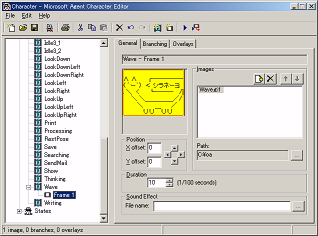
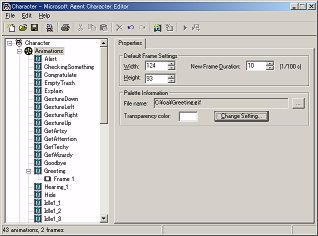
			<p>Agent Character Definitionファイルです。定義名，属性名，属性値をひたすら連ねた構造をしています。Agent Character 
				Editorを使うより，テキストエディタで編集してしまった方が作業が早いです。
			</p>
			<pre class="source">
//-------------------------------------------------------------------//
//
//	Microsoft Agent Character Description
//
//	Character Version 2.1
//	Copyright (c) 1996-98, Microsoft Corporation
//
//-------------------------------------------------------------------//

DefineCharacter

	DefineInfo 0x0011
		Name = "シラネーヨ          "
		Description = "シラネーヨは何も知りません。それでもあ<br>なたをマターリとした気分に誘ってくれることでしょう。                 <br>                                                                        "
		ExtraData = "なんでもきいてほしーヨ~~昼寝してるときは<br>起こさないでほしーヨ~~３時になったらおやつにしてほしーヨ^^Here's your <br>reminder.~~You asked me to remind you about this.                     <br>                                                                        "

	EndInfo
	               

	GUID = {B63AABE4-6BC6-46D7-B522-1F65BDD51E89}
	Width = 124
	Height = 93
	Transparency = 3
	DefaultFrameDuration = 10
	Style = AXS_VOICE_NONE | AXS_BALLOON_ROUNDRECT
	ColorTable = "Greeting\001.gif"

EndCharacter

//-------------------------------------------------------------------//

DefineBalloon
	NumLines = 2
	CharsPerLine = 28
	FontName = "MS Sans Serif"
	FontHeight = 10
	ForeColor = 00000000
	BackColor = 00e1ffff
	BorderColor = 00000000
EndBalloon

//-------------------------------------------------------------------//

DefineAnimation "Alert"

	TransitionType = 2

	DefineFrame
		Duration = 50
		DefineImage
			Filename = "Alert\001.gif"
		EndImage
	EndFrame
	DefineFrame
		Duration = 50
		DefineImage
			Filename = "Alert\002.gif"
		EndImage
	EndFrame
	DefineFrame
		Duration = 50
		DefineImage
			Filename = "Alert\003.gif"
		EndImage
	EndFrame
	DefineFrame
		Duration = 50
		DefineImage
			Filename = "Alert\004.gif"
		EndImage
	EndFrame
	DefineFrame
		Duration = 50
		DefineImage
			Filename = "Alert\005.gif"
		EndImage
	EndFrame
	DefineFrame
		Duration = 50
		DefineImage
			Filename = "Alert\006.gif"
		EndImage
	EndFrame
	DefineFrame
		Duration = 50
		DefineImage
			Filename = "Alert\007.gif"
		EndImage
	EndFrame
	DefineFrame
		Duration = 50
		DefineImage
			Filename = "Alert\008.gif"
		EndImage
	EndFrame

EndAnimation

//-------------------------------------------------------------------//

DefineAnimation "CheckingSomething"

	TransitionType = 2

	DefineFrame
		Duration = 100
		DefineImage
			Filename = "CheckingSomething\001.gif"
		EndImage
	EndFrame

	DefineFrame
		Duration = 100
		DefineImage
			Filename = "CheckingSomething\002.gif"
		EndImage
	EndFrame

	DefineFrame
		Duration = 100
		DefineImage
			Filename = "CheckingSomething\003.gif"
		EndImage
	EndFrame

	DefineFrame
		Duration = 100
		DefineImage
			Filename = "CheckingSomething\004.gif"
		EndImage
	EndFrame

EndAnimation

//-------------------------------------------------------------------//

DefineAnimation "Congratulate"

	TransitionType = 2

	DefineFrame
		Duration = 100
		DefineImage
			Filename = "Congratulate\001.gif"
		EndImage
	EndFrame

EndAnimation

//-------------------------------------------------------------------//

DefineAnimation "EmptyTrash"

	TransitionType = 2

	DefineFrame
		Duration = 100
		DefineImage
			Filename = "EmptyTrash\001.gif"
		EndImage
	EndFrame

EndAnimation

//-------------------------------------------------------------------//

DefineAnimation "Explain"

	TransitionType = 2

	DefineFrame
		Duration = 100
		DefineImage
			Filename = "Explain\001.gif"
		EndImage
	EndFrame

	DefineFrame
		Duration = 100
		DefineImage
			Filename = "Explain\002.gif"
		EndImage
	EndFrame

	DefineFrame
		Duration = 100
		DefineImage
			Filename = "Explain\003.gif"
		EndImage
	EndFrame

	DefineFrame
		Duration = 100
		DefineImage
			Filename = "Explain\004.gif"
		EndImage
	EndFrame

EndAnimation

//-------------------------------------------------------------------//

DefineAnimation "GestureLeft"

	TransitionType = 2

	DefineFrame
		Duration = 50
		DefineImage
			Filename = "GestureLeft\001.gif"
		EndImage
	EndFrame

	DefineFrame
		Duration = 50
		DefineImage
			Filename = "GestureLeft\002.gif"
		EndImage
	EndFrame

EndAnimation

//-------------------------------------------------------------------//

DefineAnimation "GestureRight"

	TransitionType = 2

	DefineFrame
		Duration = 50
		DefineImage
			Filename = "GestureRight\001.gif"
		EndImage
	EndFrame

	DefineFrame
		Duration = 50
		DefineImage
			Filename = "GestureRight\002.gif"
		EndImage
	EndFrame

EndAnimation

//-------------------------------------------------------------------//

DefineAnimation "GestureUp"

	TransitionType = 2

	DefineFrame
		Duration = 50
		DefineImage
			Filename = "GestureUp\001.gif"
		EndImage
	EndFrame

	DefineFrame
		Duration = 50
		DefineImage
			Filename = "GestureUp\002.gif"
		EndImage
	EndFrame

EndAnimation

//-------------------------------------------------------------------//

DefineAnimation "GestureDown"

	TransitionType = 2

	DefineFrame
		Duration = 50
		DefineImage
			Filename = "GestureDown\001.gif"
		EndImage
	EndFrame

	DefineFrame
		Duration = 50
		DefineImage
			Filename = "GestureDown\002.gif"
		EndImage
	EndFrame

EndAnimation

//-------------------------------------------------------------------//

DefineAnimation "GetArtsy"

	TransitionType = 2

	DefineFrame
		Duration = 100
		DefineImage
			Filename = "GetArtsy\001.gif"
		EndImage
	EndFrame

	DefineFrame
		Duration = 100
		DefineImage
			Filename = "GetArtsy\002.gif"
		EndImage
	EndFrame

EndAnimation

//-------------------------------------------------------------------//

DefineAnimation "GetAttention"

	TransitionType = 2

	DefineFrame
		Duration = 50
		DefineImage
			Filename = "GetAttention\001.gif"
		EndImage
	EndFrame

	DefineFrame
		Duration = 50
		DefineImage
			Filename = "GetAttention\002.gif"
		EndImage
	EndFrame

	DefineFrame
		Duration = 50
		DefineImage
			Filename = "GetAttention\003.gif"
		EndImage
	EndFrame


EndAnimation

//-------------------------------------------------------------------//

DefineAnimation "GetTechy"

	TransitionType = 2

	DefineFrame
		Duration = 50
		DefineImage
			Filename = "GetTechy\001.gif"
		EndImage
	EndFrame

	DefineFrame
		Duration = 50
		DefineImage
			Filename = "GetTechy\002.gif"
		EndImage
	EndFrame

	DefineFrame
		Duration = 50
		DefineImage
			Filename = "GetTechy\003.gif"
		EndImage
	EndFrame

EndAnimation

//-------------------------------------------------------------------//

DefineAnimation "GetWizardy"

	TransitionType = 2

	DefineFrame
		Duration = 100
		DefineImage
			Filename = "GetWizardy\001.gif"
		EndImage
	EndFrame

	DefineFrame
		Duration = 100
		DefineImage
			Filename = "GetWizardy\002.gif"
		EndImage
	EndFrame

	DefineFrame
		Duration = 100
		DefineImage
			Filename = "GetWizardy\003.gif"
		EndImage
	EndFrame


EndAnimation

//-------------------------------------------------------------------//

DefineAnimation "Goodbye"

	TransitionType = 2

	DefineFrame
		Duration = 50
		DefineImage
			Filename = "Goodbye\001.gif"
		EndImage
	EndFrame

	DefineFrame
		Duration = 50
		DefineImage
			Filename = "Goodbye\002.gif"
		EndImage
	EndFrame

	DefineFrame
		Duration = 100
		DefineImage
			Filename = "Goodbye\003.gif"
		EndImage
	EndFrame

	DefineFrame
		Duration = 100
		DefineImage
			Filename = "Goodbye\004.gif"
		EndImage
	EndFrame

	DefineFrame
		Duration = 150
		DefineImage
			Filename = "Goodbye\005.gif"
		EndImage
	EndFrame

EndAnimation

//-------------------------------------------------------------------//

DefineAnimation "Greeting"

	TransitionType = 2

	DefineFrame
		Duration = 50
		DefineImage
			Filename = "Greeting\001.gif"
		EndImage
	EndFrame

	DefineFrame
		Duration = 50
		DefineImage
			Filename = "Greeting\003.gif"
		EndImage
	EndFrame

	DefineFrame
		Duration = 50
		DefineImage
			Filename = "Greeting\004.gif"
		EndImage
	EndFrame

	DefineFrame
		Duration = 100
		DefineImage
			Filename = "Greeting\005.gif"
		EndImage
	EndFrame

	DefineFrame
		Duration = 50
		DefineImage
			Filename = "Greeting\006.gif"
		EndImage
	EndFrame

	DefineFrame
		Duration = 150
		DefineImage
			Filename = "Greeting\008.gif"
		EndImage
	EndFrame

	DefineFrame
		Duration = 50
		DefineImage
			Filename = "Greeting\009.gif"
		EndImage
	EndFrame

EndAnimation

//-------------------------------------------------------------------//

DefineAnimation "Hearing_1"

	TransitionType = 2

	DefineFrame
		Duration = 100
		DefineImage
			Filename = "Hearing_1\001.gif"
		EndImage
	EndFrame

	DefineFrame
		Duration = 100
		DefineImage
			Filename = "Hearing_1\002.gif"
		EndImage
	EndFrame

	DefineFrame
		Duration = 100
		DefineImage
			Filename = "Hearing_1\003.gif"
		EndImage
	EndFrame

EndAnimation

//-------------------------------------------------------------------//

DefineAnimation "Hide"

	TransitionType = 2

	DefineFrame
		Duration = 100
		DefineImage
			Filename = "Hide\001.gif"
		EndImage
	EndFrame

EndAnimation

//-------------------------------------------------------------------//

DefineAnimation "Idle1_1"

	TransitionType = 2

	DefineFrame
		Duration = 50
		DefineImage
			Filename = "Idle1_1\001.gif"
		EndImage
	EndFrame

	DefineFrame
		Duration = 50
		DefineImage
			Filename = "Idle1_1\003.gif"
		EndImage
	EndFrame

	DefineFrame
		Duration = 100
		DefineImage
			Filename = "Idle1_1\002.gif"
		EndImage
	EndFrame

	DefineFrame
		Duration = 50
		DefineImage
			Filename = "Idle1_1\003.gif"
		EndImage
	EndFrame

EndAnimation

//-------------------------------------------------------------------//

DefineAnimation "Idle1_2"

	TransitionType = 2

	DefineFrame
		Duration = 50
		DefineImage
			Filename = "Idle1_2\002.gif"
		EndImage
	EndFrame

	DefineFrame
		Duration = 50
		DefineImage
			Filename = "Idle1_2\001.gif"
		EndImage
	EndFrame

	DefineFrame
		Duration = 50
		DefineImage
			Filename = "Idle1_2\003.gif"
		EndImage
	EndFrame

	DefineFrame
		Duration = 50
		DefineImage
			Filename = "Idle1_2\004.gif"
		EndImage
	EndFrame

	DefineFrame
		Duration = 100
		DefineImage
			Filename = "Idle1_2\005.gif"
		EndImage
	EndFrame

	DefineFrame
		Duration = 50
		DefineImage
			Filename = "Idle1_2\006.gif"
		EndImage
	EndFrame

EndAnimation

//-------------------------------------------------------------------//

DefineAnimation "Idle1_3"

	TransitionType = 2

	DefineFrame
		Duration = 50
		DefineImage
			Filename = "Idle1_3\001.gif"
		EndImage
	EndFrame

	DefineFrame
		Duration = 50
		DefineImage
			Filename = "Idle1_3\002.gif"
		EndImage
	EndFrame

	DefineFrame
		Duration = 50
		DefineImage
			Filename = "Idle1_3\005.gif"
		EndImage
	EndFrame

	DefineFrame
		Duration = 100
		DefineImage
			Filename = "Idle1_3\004.gif"
		EndImage
	EndFrame

	DefineFrame
		Duration = 50
		DefineImage
			Filename = "Idle1_3\005.gif"
		EndImage
	EndFrame

EndAnimation

//-------------------------------------------------------------------//

DefineAnimation "Idle1_4"

	TransitionType = 2

	DefineFrame
		Duration = 50
		DefineImage
			Filename = "Idle1_4\002.gif"
		EndImage
	EndFrame

	DefineFrame
		Duration = 50
		DefineImage
			Filename = "Idle1_4\003.gif"
		EndImage
	EndFrame

	DefineFrame
		Duration = 50
		DefineImage
			Filename = "Idle1_4\004.gif"
		EndImage
	EndFrame

	DefineFrame
		Duration = 50
		DefineImage
			Filename = "Idle1_4\005.gif"
		EndImage
	EndFrame

EndAnimation

//-------------------------------------------------------------------//

DefineAnimation "Idle2_1"

	TransitionType = 2

	DefineFrame
		Duration = 100
		DefineImage
			Filename = "Idle2_1\001.gif"
		EndImage
	EndFrame

	DefineFrame
		Duration = 100
		DefineImage
			Filename = "Idle2_1\002.gif"
		EndImage
	EndFrame

	DefineFrame
		Duration = 100
		DefineImage
			Filename = "Idle2_1\003.gif"
		EndImage
	EndFrame

EndAnimation

//-------------------------------------------------------------------//

DefineAnimation "Idle2_2"

	TransitionType = 2

	DefineFrame
		Duration = 100
		DefineImage
			Filename = "Idle2_2\001.gif"
		EndImage
	EndFrame

	DefineFrame
		Duration = 100
		DefineImage
			Filename = "Idle2_2\002.gif"
		EndImage
	EndFrame

	DefineFrame
		Duration = 100
		DefineImage
			Filename = "Idle2_2\003.gif"
		EndImage
	EndFrame

EndAnimation


//-------------------------------------------------------------------//

DefineAnimation "Idle3_1"

	TransitionType = 2

	DefineFrame
		Duration = 200
		DefineImage
			Filename = "Idle3_1\001.gif"
		EndImage
	EndFrame

	DefineFrame
		Duration = 200
		DefineImage
			Filename = "Idle3_1\003.gif"
		EndImage
	EndFrame

	DefineFrame
		Duration = 200
		DefineImage
			Filename = "Idle3_1\004.gif"
		EndImage
	EndFrame

	DefineFrame
		Duration = 200
		DefineImage
			Filename = "Idle3_1\005.gif"
		EndImage
	EndFrame

	DefineFrame
		Duration = 200
		DefineImage
			Filename = "Idle3_1\001.gif"
		EndImage
	EndFrame

EndAnimation

//-------------------------------------------------------------------//

DefineAnimation "Idle3_2"

	TransitionType = 2


	DefineFrame
		Duration = 200
		DefineImage
			Filename = "Idle3_2\001.gif"
		EndImage
	EndFrame

	DefineFrame
		Duration = 200
		DefineImage
			Filename = "Idle3_2\002.gif"
		EndImage
	EndFrame

	DefineFrame
		Duration = 200
		DefineImage
			Filename = "Idle3_2\003.gif"
		EndImage
	EndFrame

	DefineFrame
		Duration = 200
		DefineImage
			Filename = "Idle3_2\004.gif"
		EndImage
	EndFrame

	DefineFrame
		Duration = 200
		DefineImage
			Filename = "Idle3_2\005.gif"
		EndImage
	EndFrame

EndAnimation

//-------------------------------------------------------------------//

DefineAnimation "LookDown"

	TransitionType = 2

	DefineFrame
		Duration = 50
		DefineImage
			Filename = "LookDown\001.gif"
		EndImage
	EndFrame

	DefineFrame
		Duration = 50
		DefineImage
			Filename = "LookDown\002.gif"
		EndImage
	EndFrame

EndAnimation

//-------------------------------------------------------------------//

DefineAnimation "LookDownLeft"

	TransitionType = 2

	DefineFrame
		Duration = 50
		DefineImage
			Filename = "LookDownLeft\001.gif"
		EndImage
	EndFrame

	DefineFrame
		Duration = 50
		DefineImage
			Filename = "LookDownLeft\002.gif"
		EndImage
	EndFrame

EndAnimation

//-------------------------------------------------------------------//

DefineAnimation "LookDownRight"

	TransitionType = 2

	DefineFrame
		Duration = 50
		DefineImage
			Filename = "LookDownRight\001.gif"
		EndImage
	EndFrame

	DefineFrame
		Duration = 50
		DefineImage
			Filename = "LookDownRight\002.gif"
		EndImage
	EndFrame

EndAnimation

//-------------------------------------------------------------------//

DefineAnimation "LookLeft"

	TransitionType = 2

	DefineFrame
		Duration = 50
		DefineImage
			Filename = "LookLeft\001.gif"
		EndImage
	EndFrame

	DefineFrame
		Duration = 50
		DefineImage
			Filename = "LookLeft\002.gif"
		EndImage
	EndFrame

EndAnimation

//-------------------------------------------------------------------//

DefineAnimation "LookRight"

	TransitionType = 2

	DefineFrame
		Duration = 50
		DefineImage
			Filename = "LookRight\001.gif"
		EndImage
	EndFrame

	DefineFrame
		Duration = 50
		DefineImage
			Filename = "LookRight\002.gif"
		EndImage
	EndFrame

EndAnimation

//-------------------------------------------------------------------//

DefineAnimation "LookUp"

	TransitionType = 2

	DefineFrame
		Duration = 50
		DefineImage
			Filename = "LookUp\001.gif"
		EndImage
	EndFrame

	DefineFrame
		Duration = 50
		DefineImage
			Filename = "LookUp\002.gif"
		EndImage
	EndFrame

EndAnimation

//-------------------------------------------------------------------//

DefineAnimation "LookUpLeft"

	TransitionType = 2

	DefineFrame
		Duration = 50
		DefineImage
			Filename = "LookUpLeft\001.gif"
		EndImage
	EndFrame

	DefineFrame
		Duration = 50
		DefineImage
			Filename = "LookUpLeft\002.gif"
		EndImage
	EndFrame

EndAnimation

//-------------------------------------------------------------------//

DefineAnimation "LookUpRight"

	TransitionType = 2

	DefineFrame
		Duration = 50
		DefineImage
			Filename = "LookUpRight\001.gif"
		EndImage
	EndFrame

	DefineFrame
		Duration = 50
		DefineImage
			Filename = "LookUpRight\002.gif"
		EndImage
	EndFrame

EndAnimation

//-------------------------------------------------------------------//

DefineAnimation "Print"

	TransitionType = 2

	DefineFrame
		Duration = 50
		DefineImage
			Filename = "Print\001.gif"
		EndImage
	EndFrame

	DefineFrame
		Duration = 50
		DefineImage
			Filename = "Print\002.gif"
		EndImage
	EndFrame

EndAnimation

//-------------------------------------------------------------------//

DefineAnimation "Processing"

	TransitionType = 2

	DefineFrame
		Duration = 50
		DefineImage
			Filename = "Processing\001.gif"
		EndImage
	EndFrame

	DefineFrame
		Duration = 50
		DefineImage
			Filename = "Processing\002.gif"
		EndImage
	EndFrame

EndAnimation

//-------------------------------------------------------------------//

DefineAnimation "RestPose"

	TransitionType = 2

	DefineFrame
		Duration = 50
		DefineImage
			Filename = "RestPose\001.gif"
		EndImage
	EndFrame

EndAnimation

//-------------------------------------------------------------------//

DefineAnimation "Save"

	TransitionType = 2

	DefineFrame
		Duration = 100
		DefineImage
			Filename = "Save\001.gif"
		EndImage
	EndFrame

	DefineFrame
		Duration = 100
		DefineImage
			Filename = "Save\002.gif"
		EndImage
	EndFrame

EndAnimation

//-------------------------------------------------------------------//

DefineAnimation "Searching"

	TransitionType = 2

	DefineFrame
		Duration = 100
		DefineImage
			Filename = "Searching\001.gif"
		EndImage
	EndFrame

	DefineFrame
		Duration = 100
		DefineImage
			Filename = "Searching\002.gif"
		EndImage
	EndFrame

EndAnimation

//-------------------------------------------------------------------//

DefineAnimation "SendMail"

	TransitionType = 2

	DefineFrame
		Duration = 100
		DefineImage
			Filename = "SendMail\001.gif"
		EndImage
	EndFrame

	DefineFrame
		Duration = 100
		DefineImage
			Filename = "SendMail\002.gif"
		EndImage
	EndFrame

EndAnimation

//-------------------------------------------------------------------//

DefineAnimation "Show"

	TransitionType = 2

	DefineFrame
		Duration = 50
		DefineImage
			Filename = "Show\001.gif"
		EndImage
	EndFrame

	DefineFrame
		Duration = 50
		DefineImage
			Filename = "Show\002.gif"
		EndImage
	EndFrame

EndAnimation

//-------------------------------------------------------------------//

DefineAnimation "Thinking"

	TransitionType = 2

	DefineFrame
		Duration = 100
		DefineImage
			Filename = "Thinking\001.gif"
		EndImage
	EndFrame

	DefineFrame
		Duration = 100
		DefineImage
			Filename = "Thinking\002.gif"
		EndImage
	EndFrame

EndAnimation

//-------------------------------------------------------------------//

DefineAnimation "Wave"

	TransitionType = 2

	DefineFrame
		Duration = 50
		DefineImage
			Filename = "Wave\001.gif"
		EndImage
	EndFrame

	DefineFrame
		Duration = 50
		DefineImage
			Filename = "Wave\002.gif"
		EndImage
	EndFrame

	DefineFrame
		Duration = 50
		DefineImage
			Filename = "Wave\003.gif"
		EndImage
	EndFrame

	DefineFrame
		Duration = 50
		DefineImage
			Filename = "Wave\004.gif"
		EndImage
	EndFrame

	DefineFrame
		Duration = 100
		DefineImage
			Filename = "Wave\005.gif"
		EndImage
	EndFrame


	DefineFrame
		Duration = 50
		DefineImage
			Filename = "Wave\006.gif"
		EndImage
	EndFrame


EndAnimation

//-------------------------------------------------------------------//

DefineAnimation "Writing"

	TransitionType = 2

	DefineFrame
		Duration = 50
		DefineImage
			Filename = "Writing\001.gif"
		EndImage
	EndFrame

	DefineFrame
		Duration = 50
		DefineImage
			Filename = "Writing\002.gif"
		EndImage
	EndFrame

EndAnimation

//-------------------------------------------------------------------//

DefineState "Showing"
	Animation = "Show"
EndState

//-------------------------------------------------------------------//

DefineState "Hiding"
	Animation = "Hide"
EndState

//-------------------------------------------------------------------//

DefineState "GesturingLeft"
	Animation = "GestureLeft"
EndState

//-------------------------------------------------------------------//

DefineState "GesturingRight"
	Animation = "GestureRight"
EndState

//-------------------------------------------------------------------//

DefineState "GesturingUp"
	Animation = "GestureUp"
EndState

//-------------------------------------------------------------------//

DefineState "GesturingDown"
	Animation = "GestureDown"
EndState

//-------------------------------------------------------------------//

DefineState "Listening"
	Animation = "Alert"
EndState

//-------------------------------------------------------------------//

DefineState "Hearing"
	Animation = "Hearing_1"
EndState

//-------------------------------------------------------------------//

DefineState "IdlingLevel1"
	Animation = "Idle1_1"
	Animation = "Idle1_2"
	Animation = "Idle1_3"
	Animation = "Idle1_4"
EndState

//-------------------------------------------------------------------//

DefineState "IdlingLevel2"
	Animation = "Idle2_1"
	Animation = "Idle2_2"
EndState

//-------------------------------------------------------------------//

DefineState "IdlingLevel3"
	Animation = "Idle3_1"
	Animation = "Idle3_2"
EndState

//-------------------------------------------------------------------//
// EOF
	</pre>]]>
   </content>
</entry>
<entry>
   <title>Officeアシスタントの作り方</title>
   <link rel="alternate" type="text/html" href="http://yumi-ii.squares.net/shiraneyo/archives/2004/10/20041030195236.html" />
   <id>tag:yumi-ii.squares.net,2004:/shiraneyo//3.4176</id>
   
   <published>2004-10-30T10:52:36Z</published>
   <updated>2007-04-24T10:02:55Z</updated>
   
   <summary>Microsoft Office 2000以降で動作する「Officeアシスタント」の作り方を手短に説明します。</summary>
   <author>
      <name>MURONO</name>
      
   </author>
         <category term="300.技術資料" scheme="http://www.sixapart.com/ns/types#category" />
   
   
   <content type="html" xml:lang="ja" xml:base="http://yumi-ii.squares.net/shiraneyo/">
      <![CDATA[			<h4>はじめに</h4>
			<p>このページでは，Microsoft Office 2000以降で動作する「Officeアシスタント」の作り方を手短に説明します。
			</p>]]>
      <![CDATA[			<p>Officeアシスタントは「Microsoft Agent」というアーキテクチャを使用したものです。Microsoft Agentの資料を読めばOfficeアシスタントの作り方が分かるのですが，Microsoft Agentの資料にはOfficeアシスタントとは関係のない話題がたくさん含まれています。話がややこしくなりすぎているので，Officeアシスタントだけに注目したチュートリアルを作ることにしました。
	このページをひと通り読めば（時間にして10分くらいでしょうか），あなたもOfficeアシスタントを作れるようになるでしょう。
			</p>

			<h4>FAQ</h4>

			<p>【問】 Officeアシスタントってなんですか</p>
			<p>――【答】 WordやExcelのヘルプに出てくる「イルカ」や「冴子先生」のことです。</p>

			<p>【問】 Officeアシスタントを作るのって難しいですか</p>
			<p>――【答】 難易度はアニメーションGIFと同じくらいです。製作過程も似ています。</p>

			<p>【問】 Officeアシスタントは何で作るんですか</p>
			<p>――【答】 Microsoft Agent Character Editorという専用ツールを使って作ります。</p>

			<p>【問】 Microsoft Agent Character Editorはどうやって入手しますか</p>
			<p>――【答】 Microsoft社のWWWサイトからダウンロードします。Office DeveloperのCD-ROMにも入っていますが，わざわざOfficeアシスタントを作るためだけにOffice Developerを買う必要はありません。</p>

			<p>【問】 Officeアシスタントと検索コンパニオンは同じものですか</p>
			<p>――【答】 同じものみたいです。Officeアシスタントのファイルは，そのままWindowsXPの検索コンパニオンにも使えます。</p>

			<h4>Officeアシスタント・チュートリアル</h4>

			<h5>このチュートリアルで作るもの</h5>

			<p>2ちゃんねるアスキーアートキャラクター「シラネーヨ」が登場するOfficeアシスタントを作ってみます。できたものはOfficeにインストールして，実際に表示させることができます。
			</p>

			<img src="/res/1103/2004122401-384x288-11038795053.png" width="384" height="288" alt="シラネーヨのOfficeアシスタント（チュートリアル版）">

			<p>＜画像の説明＞このチュートリアルで作るOfficeアシスタント。Excelでの表示例。
			</p>

			<h5>ソフトウェアの準備</h5>
			<p>マイクロソフト社のサイトから「Microsoft Agent Character Editor」（ace.exe）をダウンロードします。
			</p>

			<p>URL：<a href="http://www.microsoft.com/msagent/downloads/developer.asp">http://www.microsoft.com/msagent/downloads/developer.asp</a>
			<p>ダウンロードサイトのURLはしばしば変わります。リンクが切れているときは，サーチエンジンで「Microsoft Agent Character Editor」を検索してみましょう。
			</p>

			<p>ダウンロード後 ace.exe を開くとインストールウィザードが開始されます。ウィザードに従うとインストールが完了します。
			</p>

			<h5>静止画の用意</h5>

			<p>123x93のGIF画像を2枚用意します。チュートリアル用の静止画を用意したので，各々の画像ファイルをダウンロードしてください。「c:\oa」というフォルダを作成し，その中にダウンロードしたファイルを移動しておきましょう。
			</p>

			<table>
				<tr>
					<th>ファイル名
					</th>
					<th>画像
					</th>
				</tr>
				<tr>
					<td>
						<a href="/res/1101/11018443792/Greeting.gif">Greeting.gif</a>
					</td>
					<td>
						<img src="/res/1101/11018443792/Greeting.gif" width="123" height="93" >
					</td>
				</tr>
				<tr>
					<td>
						<a href="/res/1101/11018443803/Wave.gif">Wave.gif
					</td>
					<td>
						<img src="/res/1101/11018443803/Wave.gif" width="123" height="93" >
					</td>
				</tr>
			</table>			

			<h5>Microsoft Agent Character Editorの起動</h5>
			<p>スタートメニューからMicrosoft Agent Character Editorを起動します。
			</p>

			<h5>Officeアシスタントの作成</h5>
			<p>メニューより「FILE」→「New」→「Office Assistant Character」を選びます。
			</p>

			<h5>アニメーションの作成</h5>
			<p>(1) 画面左のツリーにフォーカスし「Character」→「Animations」の順にツリーを展開します。
			</p>

			<p>(2) ツリーの「Greeting」項目を右クリックし「New Frames from Images...」を選択します。ファイルダイアログが表示されるので，ファイルの種類を「GIF Files (*.gif)」に変更後，「c:\oa\Greeting.gif」を開きます。
			</p>

			<p>(3) ツリーの「Wave」項目を右クリックし「New Frames from Images...」を選択します。ファイルダイアログが表示されるので，ファイルの種類を「GIF Files (*.gif)」に変更後，「c:\oa\Wave.gif」を開きます（下図）。
			</p>

			<img src="/res/1101/001-318x236-11018460423.png" width="318" height="236" alt="アニメーションの作成">

			<h5>透明色の設定</h5>
			<p>(1) 画面左のツリーにフォーカスし「Character」を展開します。
			</p>

			<p>(2) 「Animations」項目をクリックすると「Properties」が表示されます（下図）。
			</p>

			<img src="/res/1101/002-318x236-11018460431.png" width="318" height="236" alt="アニメーションのプロパティ">


			<p>(3) 「Palette Information」の「Change Setting」ボタンをクリックします。				</p>

			<p>(4) 「Change Transperency Setting」ダイアログが表示されるので「白色」（左上から4番目の色）をクリックし，「OK」をクリックします（下図）。
			</p>

			<img src="/res/1101/003-157x185-11018460458.png" width="157" height="185" alt="パレット">


			<h5>定義ファイル（.acd）の保存</h5>
			<p>(1) メニューより「File」→「Save」を選びます。
			</p>
			<p>(2) ファイルの場所を「c:\oa」，ファイル名を「Character.acd」としてAgent Character Definitionファイルを保存します。
			</p>

			<h5>ビルド</h5>
			<p>(1) メニューより「File」→「Build Character」を選びます。
			</p>
			<p>(2) ファイルの場所を「c:\oa」，ファイル名を「Character.acs」にしてAgent Characterファイルを保存します。
			</p>

			<h5>ファイルの配置</h5>

			<p>c:\oa\Character.acsを所定のフォルダにコピーします。コピー先のフォルダはOSによって異なります。
			</p>

			<ul>
				<li><strong>Windows XP/2000の場合</strong><br>
				C:\Documents and Settings\<em>xxxxxxxx</em>\Application Data\Microsoft\Office\Actors</li>
				<li><strong>Windows 98の場合</strong><br>
				C:\WINDOWS\Application Data\Microsoft\Office\Actors</li>
			</ul>

			<p>※注意：「<em>xxxxxxxx</em>」には任意のユーザ名が入ります。プロファイルの場所を変えている方はフォルダ名を置き換えてください。 
			</p>

			<h5>Officeを起動</h5>
			<p>Word，Excelなんでも構わないのでMicrosoft Officeのアプリケーションを起動します。
			</p>

			<h5>Officeアシスタントの選択</h5>

			<p>(1) Officeアシスタントが非表示のときは，「ヘルプ」→「Officeアシスタントを表示する」を選びます。</p>
			<p>(2) Officeアシスタントを右クリックし「アシスタントの選択」を選びます。</p>
			<p>(3) Officeアシスタントの「種類」タブをクリックします。作成したOfficeアシスタントが表示されるまで「次へ」または「戻る」を数回クリックします。見つかったら「OK」をクリックします。</p>

			<p>(4) Officeアシスタントを表示できたら作業はおしまいです（下図）。
			</p>


			<img src="/res/1101/004-253x158-11018460485.png" width="253" height="158" alt="Officeアシスタントの選択">

			<p>この読み物は，Officeアシスタントの作り方を簡単にしか説明しません（キャラクターはただ表示されるだけで，アニメーションしません）。以後は，本格的なOfficeアシスタントを作る際に役立つ情報を紹介します。</p>

			<h4>本格的に作りたい方へ</h4>

			<h5>参考サイト</h5>

			<ul>
				<li>
				<a href="http://www.microsoft.com/japan/msdn/library/ja/jpdnof2dv/htm/misc/assis.asp?frame=true">Office 2000 アシスタント キャラクターのデザイン</a> ―― いわば総本山のページ
	<!--			
				【補足説明】「Office のアニメーション セット」の表には，Idle状態はIdle1_1，Idle2，Idle3の3種類しかないように書いてありますが，実際はIdle1_1，Idle1_2，Idle1_3，Idle1_4，Idle2_1，Idle2_2，Idle3_1，Idle3_2の8種類があります
	-->
				</li>

				<li>
	<a href="http://www.microsoft.com/japan/msdn/library/ja/jpdnof2dv/htm/misc/agent.asp?frame=true">Microsoft Agent Character Editor の使用方法</a> ―― Agent Character Editorの詳しい使い方
				</li>
			</ul>

			<h5>参考になる書籍</h5>
			<ul>
				<li><a href="http://bpstore.nikkeibp.co.jp/item/main/148910001390.html">Microsoft Agentプログラミング技法，Microsoft社 著，日経BPソフトプレス</a> ――すでに絶版のようですが，この本はかなりオススメです（⇒<a href="http://www.fukkan.com/vote.php3?no=34834">復刊をご希望の方はこちら</a>）。名前のとおり元々はプログラミングの本なのですが，ほかにも擬人化したキャラクターの仕草や表情はどうあるべきか，といったキャラクターの作成話が篤いです。</li>

				<li>アニメーションGIFの作り方を解説した本 ――具体的に「この本です」という紹介ではありません。OfficeアシスタントとアニメーションGIFの製作過程はかなり似ているという理由で，分からないことが多い方はアニメーションGIFの解説本が参考になるでしょう。
				</li>
			</ul>

<iframe src="http://rcm-jp.amazon.co.jp/e/cm?t=yumiii0b-22&o=9&p=48&l=st1&mode=books-us&search=Microsoft%20Agent&fc1=&lt1=_blank&lc1=&bg1=eeeeee&f=ifr" marginwidth="0" marginheight="0" width="728" height="90" border="0" frameborder="0" style="border:none;" scrolling="no"></iframe>


			<h4>知っていると得すること</h4>

			<p>Microsoft Agent Character Editor（英語版）を使ってみて，気づいたことをお話します。
			</p>

			<h5>日本語コメントの入れ方</h5>
			<p>「Character Properties」の「Name，Description，ExtraData」に日本語（全角文字）を入力すると，文字列が途切れてしまう問題が起きます。私が試してみたところ「Language」が「Japanese」なのにさっぱりうまくいきませんでした。この属性はOfficeアシスタントを選ぶ際の説明文になるので，欠けてしまうのはとても悲しいものです。
			</p>
			<p>試行錯誤したところ，手っ取り早く回避するには全角1文字に対して，文字列の末尾に半角空白を2文字，追加します。たとえば「あいうえお」だったら「あいうえお」＋「&nbsp;&nbsp;&nbsp;&nbsp;&nbsp;&nbsp;&nbsp;&nbsp;&nbsp;&nbsp;」（半角5文字分の空白）として「あいうえお&nbsp;&nbsp;&nbsp;&nbsp;&nbsp;&nbsp;&nbsp;&nbsp;&nbsp;&nbsp;」とします。
			</p>

			<img src="/res/1103/2004122402-384x239-11038800201.png" width="384" height="239" alt="シラネーヨのOfficeアシスタント（キャラクタ選択時）">

			<p>＜画像の説明＞日本語コメントを表示したOfficeアシスタント。
			</p>


			<p>手前味噌ですが「<a href="/shiraneyo/archives/2004/11/20041101141331.html">シラネーヨのOfficeアシスタント 技術資料</a>」では，日本語コメント入りの定義ファイルを公開しています。以下に該当個所を掲載します。（注意：表示の都合で改行していますが，本来Name，Description，ExtraDataは1行に記述します。）
			</p>
<blockquote>
<pre>
DefineInfo 0x0011
	Name = &quot;シラネーヨ          &quot;
	Description = &quot;シラネーヨは何も知りません。それでもあ<br>なたをマターリとした気分に誘ってくれることでしょう。                 <br>                                                                        &quot;
	ExtraData = &quot;なんでもきいてほしーヨ~~昼寝してるときは<br>起こさないでほしーヨ~~３時になったらおやつにしてほしーヨ^^Here's your <br>reminder.~~You asked me to remind you about this.                     <br>                                                                        &quot;

EndInfo
</pre>
</blockquote>


			<h5>ファイル名やフォルダ名に日本語が含まれてはいけない</h5>
			<p>ファイル名やフォルダ名には半角英数文字だけを使うようにしましょう。Microsoft Agent Character Editorは英語圏のアプリケーションのためか，日本語が関わると厄介な挙動をします。とくにファイル名やフォルダ名に日本語が含まれるとファイル名が欠けたり，表示がおかしくなったりします。
			</p>

			<p>例えば「フレーム1.gif」というファイル名は止めておいた方がいいですし，「C:\Documents and Settings\username\デスクトップ」というフォルダにファイルを置くのもいけません。とくに「デスクトップ」にファイルを置くと，暗黙でフォルダ名に日本語が含まれてしまうので注意しましょう。
			</p>

			<h5>Office Paletteの謎</h5>
			<p>Officeアシスタントの画像には推奨パレットというものが存在します。これは「Office Palette」と呼ばれています。「Officeアシスタントの画像に使う色は，Office Paletteから選ぶように」ということらしいのです。
			</p>
			<p>Office Paletteの正体はBMP形式の画像ファイル（assistpalette.bmp）ですが，無料では入手できません。Office DeveloperのCD-ROMに入っているそうです。Officeにはいろんなエディションがありますが，Developerは開発者向けのエディションでしてかなり高価（たしか10万円くらい）です。
			</p>
			<p>以下，憶測になりますがOffice Paletteの正体は，WordやExcelでフォントや罫線の「色の設定」をするときに表示されるパレットのような気がします（下図）。つまり「色の設定」で表示される色を使っておけば，良いのではないかと思うのです。裏づけは取れていませんが，お試しになった方がいらっしゃいましたらぜひご連絡ください。
			</p>

			<img src="/res/1101/005-171x158-11018460524.png" width="171" height="158" alt="色の設定">

			<p>＜画像の説明＞「色の設定」はこんな画面です。
			</p>

			<h5>Agent Character Definition ファイルはテキスト形式</h5>
			<p>Agent Character Definition（.acd）ファイルをテキストエディタ（メモ帳や秀丸）で開くと，テキスト形式であることに気づかされます。構造は簡素でアニメーションの各コマの画像ファイル名と，表示時間を連ねているだけです。よってAgent Character Editorを使わなくても，テキストエディタさえあれば，ある程度の段階まで Definition ファイルを作ってしまうことができます。
			</p>

			<h5>Windows XPの検索コンパニオン</h5>
			<p>Officeアシスタントと検索コンパニオンは見た目がよく似ています（というか同じです）。OfficeアシスタントのAgent Characterファイルを下記フォルダにコピーすると，そのまま検索コンパニオンにもできます。
			</p>

			<ul>
				<li>C:\WINDOWS\srchasst\chars</li>
			</ul>

			<h4>資料室</h4>

			<h5>インターネットで入手できるOfficeアシスタントの情報</h5>
			<ol>
				<li><a href="/shiraneyo/archives/2004/10/20041030195235.html">シラネーヨのOfficeアシスタント(1)</a> ― 2chアスキーアートの「シラネーヨ」</li>

				<li><a href="/shiraneyo/archives/2004/11/20041101141331.html">シラネーヨのOfficeアシスタント(2)</a> ― 2chアスキーアートの「シラネーヨ」</li>

				<li><a href="http://ruirui.jp/appli/index.html">RUI-RUI'S APPLI</a> ― 「祐巳ちゃん，蔦ちゃん，琉奈ちゃん」のOfficeアシスタント</li>

				<li><a href="http://homepage3.nifty.com/bear/offlady/offmacro.htm">冴子先生の紹介</a> ― 冴子先生に特化した情報を提供</li>

				<li><a href="http://homepage3.nifty.com/bear/offlady/offlady.htm">冴子先生マクロ</a> ― 冴子先生に特化した情報を提供</li>

				<li><a href="http://www.msagentring.org/">Microsoft Agent Ring</a> ― OfficeアシスタントではありませんがMS Agentのウェブリング</li>
			</ol>

			<h5>検索のコツ</h5>
			<p>サーチエンジンで情報を探すときは，「Officeアシスタント acs」と「オフィスアシスタント acs」の2種類のフレーズをお試しください。Officeアシスタントの拡張子acsを混ぜるのがコツです。
			</p>

			<h5>アニメーションの定義一覧</h5>

			<ol>
			<li>Alert</li>
			<li>CheckingSomething</li>
			<li>Congratulate</li>
			<li>EmptyTrash</li>
			<li>Explain</li>
			<li>GestureDown</li>
			<li>GestureLeft</li>
			<li>GestureRight</li>
			<li>GestureUp</li>
			<li>GetArtsy</li>
			<li>GetAttention</li>
			<li>GetTechy</li>
			<li>GetWizardy</li>
			<li>Goodbye</li>
			<li>Greeting</li>
			<li>Hearing_1</li>
			<li>Hide</li>
			<li>Idle1_1</li>
			<li>Idle1_2</li>
			<li>Idle1_3</li>
			<li>Idle1_4</li>
			<li>Idle2_1</li>
			<li>Idle2_2</li>
			<li>Idle3_1</li>
			<li>Idle3_2</li>
			<li>LookDown</li>
			<li>LookDownLeft</li>
			<li>LookDownRight</li>
			<li>LookLeft</li>
			<li>LookRight</li>
			<li>LookUp</li>
			<li>LookUpLeft</li>
			<li>LookUpRight</li>
			<li>Print</li>
			<li>Processing</li>
			<li>RestPose</li>
			<li>Save</li>
			<li>Searching</li>
			<li>SendMail</li>
			<li>Show</li>
			<li>Thinking</li>
			<li>Wave</li>
			<li>Writing</li>
			</ol>

			<h5>空のAgent Character Definitionファイル</h5>

			<pre class="source">
//-------------------------------------------------------------------//
//
//	Microsoft Agent Character Description
//
//	Character Version 2.1
//	Copyright (c) 1996-98, Microsoft Corporation
//
//-------------------------------------------------------------------//

DefineCharacter
	DefineInfo 0x0009
		Name = &quot;Character&quot;
		ExtraData = &quot;Hi. I'm your Office Assistant.~~I'm here <br>to help you with Office.~~I'm your Office Assistant.^^Here's your <br>reminder.~~You asked me to remind you about this.&quot;
	EndInfo

	GUID = {F34373D2-9F1C-45F2-85BB-868634161E3B}
	Width = 124
	Height = 93
	Transparency = 10
	DefaultFrameDuration = 10
	Style = AXS_VOICE_NONE | AXS_BALLOON_ROUNDRECT
EndCharacter

//-------------------------------------------------------------------//

DefineBalloon
	NumLines = 2
	CharsPerLine = 28
	FontName = &quot;MS Sans Serif&quot;
	FontHeight = 10
	ForeColor = 00000000
	BackColor = 00e1ffff
	BorderColor = 00000000
EndBalloon

//-------------------------------------------------------------------//

DefineAnimation &quot;Alert&quot;
	TransitionType = 2
EndAnimation

//-------------------------------------------------------------------//

DefineAnimation &quot;CheckingSomething&quot;
	TransitionType = 2
EndAnimation

//-------------------------------------------------------------------//

DefineAnimation &quot;Congratulate&quot;
	TransitionType = 2
EndAnimation

//-------------------------------------------------------------------//

DefineAnimation &quot;EmptyTrash&quot;
	TransitionType = 2
EndAnimation

//-------------------------------------------------------------------//

DefineAnimation &quot;Explain&quot;
	TransitionType = 2
EndAnimation

//-------------------------------------------------------------------//

DefineAnimation &quot;GestureLeft&quot;
	TransitionType = 2
EndAnimation

//-------------------------------------------------------------------//

DefineAnimation &quot;GestureRight&quot;
	TransitionType = 2
EndAnimation

//-------------------------------------------------------------------//

DefineAnimation &quot;GestureUp&quot;
	TransitionType = 2
EndAnimation

//-------------------------------------------------------------------//

DefineAnimation &quot;GestureDown&quot;
	TransitionType = 2
EndAnimation

//-------------------------------------------------------------------//

DefineAnimation &quot;GetArtsy&quot;
	TransitionType = 2
EndAnimation

//-------------------------------------------------------------------//

DefineAnimation &quot;GetAttention&quot;
	TransitionType = 2
EndAnimation

//-------------------------------------------------------------------//

DefineAnimation &quot;GetTechy&quot;
	TransitionType = 2
EndAnimation

//-------------------------------------------------------------------//

DefineAnimation &quot;GetWizardy&quot;
	TransitionType = 2
EndAnimation

//-------------------------------------------------------------------//

DefineAnimation &quot;Goodbye&quot;
	TransitionType = 2
EndAnimation

//-------------------------------------------------------------------//

DefineAnimation &quot;Greeting&quot;
	TransitionType = 2
EndAnimation

//-------------------------------------------------------------------//

DefineAnimation &quot;Hearing_1&quot;
	TransitionType = 2
EndAnimation

//-------------------------------------------------------------------//

DefineAnimation &quot;Hide&quot;
	TransitionType = 2
EndAnimation

//-------------------------------------------------------------------//

DefineAnimation &quot;Idle1_1&quot;
	TransitionType = 2
EndAnimation

//-------------------------------------------------------------------//

DefineAnimation &quot;Idle1_2&quot;
	TransitionType = 2
EndAnimation

//-------------------------------------------------------------------//

DefineAnimation &quot;Idle1_3&quot;
	TransitionType = 2
EndAnimation

//-------------------------------------------------------------------//

DefineAnimation &quot;Idle1_4&quot;
	TransitionType = 2
EndAnimation

//-------------------------------------------------------------------//

DefineAnimation &quot;Idle2_2&quot;
	TransitionType = 2
EndAnimation

//-------------------------------------------------------------------//

DefineAnimation &quot;Idle2_1&quot;
	TransitionType = 2
EndAnimation

//-------------------------------------------------------------------//

DefineAnimation &quot;Idle3_1&quot;
	TransitionType = 2
EndAnimation

//-------------------------------------------------------------------//

DefineAnimation &quot;Idle3_2&quot;
	TransitionType = 2
EndAnimation

//-------------------------------------------------------------------//

DefineAnimation &quot;LookDown&quot;
	TransitionType = 2
EndAnimation

//-------------------------------------------------------------------//

DefineAnimation &quot;LookDownLeft&quot;
	TransitionType = 2
EndAnimation

//-------------------------------------------------------------------//

DefineAnimation &quot;LookDownRight&quot;
	TransitionType = 2
EndAnimation

//-------------------------------------------------------------------//

DefineAnimation &quot;LookLeft&quot;
	TransitionType = 2
EndAnimation

//-------------------------------------------------------------------//

DefineAnimation &quot;LookRight&quot;
	TransitionType = 2
EndAnimation

//-------------------------------------------------------------------//

DefineAnimation &quot;LookUp&quot;
	TransitionType = 2
EndAnimation

//-------------------------------------------------------------------//

DefineAnimation &quot;LookUpLeft&quot;
	TransitionType = 2
EndAnimation

//-------------------------------------------------------------------//

DefineAnimation &quot;LookUpRight&quot;
	TransitionType = 2
EndAnimation

//-------------------------------------------------------------------//

DefineAnimation &quot;Print&quot;
	TransitionType = 2
EndAnimation

//-------------------------------------------------------------------//

DefineAnimation &quot;Processing&quot;
	TransitionType = 2
EndAnimation

//-------------------------------------------------------------------//

DefineAnimation &quot;RestPose&quot;
	TransitionType = 2
EndAnimation

//-------------------------------------------------------------------//

DefineAnimation &quot;Save&quot;
	TransitionType = 2
EndAnimation

//-------------------------------------------------------------------//

DefineAnimation &quot;Searching&quot;
	TransitionType = 2
EndAnimation

//-------------------------------------------------------------------//

DefineAnimation &quot;SendMail&quot;
	TransitionType = 2
EndAnimation

//-------------------------------------------------------------------//

DefineAnimation &quot;Show&quot;
	TransitionType = 2
EndAnimation

//-------------------------------------------------------------------//

DefineAnimation &quot;Thinking&quot;
	TransitionType = 2
EndAnimation

//-------------------------------------------------------------------//

DefineAnimation &quot;Wave&quot;
	TransitionType = 2
EndAnimation

//-------------------------------------------------------------------//

DefineAnimation &quot;Writing&quot;
	TransitionType = 2
EndAnimation

//-------------------------------------------------------------------//

DefineState &quot;Showing&quot;
	Animation = &quot;Show&quot;
EndState

//-------------------------------------------------------------------//

DefineState &quot;Hiding&quot;
	Animation = &quot;Hide&quot;
EndState

//-------------------------------------------------------------------//

DefineState &quot;GesturingLeft&quot;
	Animation = &quot;GestureLeft&quot;
EndState

//-------------------------------------------------------------------//

DefineState &quot;GesturingRight&quot;
	Animation = &quot;GestureRight&quot;
EndState

//-------------------------------------------------------------------//

DefineState &quot;GesturingUp&quot;
	Animation = &quot;GestureUp&quot;
EndState

//-------------------------------------------------------------------//

DefineState &quot;GesturingDown&quot;
	Animation = &quot;GestureDown&quot;
EndState

//-------------------------------------------------------------------//

DefineState &quot;Listening&quot;
	Animation = &quot;Alert&quot;
EndState

//-------------------------------------------------------------------//

DefineState &quot;Hearing&quot;
	Animation = &quot;Hearing_1&quot;
EndState

//-------------------------------------------------------------------//

DefineState &quot;IdlingLevel1&quot;
	Animation = &quot;Idle1_1&quot;
	Animation = &quot;Idle1_2&quot;
	Animation = &quot;Idle1_3&quot;
	Animation = &quot;Idle1_4&quot;
EndState

//-------------------------------------------------------------------//

DefineState &quot;IdlingLevel2&quot;
	Animation = &quot;Idle2_1&quot;
	Animation = &quot;Idle2_2&quot;
EndState

//-------------------------------------------------------------------//

DefineState &quot;IdlingLevel3&quot;
	Animation = &quot;Idle3_1&quot;
	Animation = &quot;Idle3_2&quot;
EndState

//-------------------------------------------------------------------//
			</pre>]]>
   </content>
</entry>
<entry>
   <title>シラネーヨのOfficeアシスタント ダウンロードページ</title>
   <link rel="alternate" type="text/html" href="http://yumi-ii.squares.net/shiraneyo/archives/2004/10/20041030195235.html" />
   <id>tag:yumi-ii.squares.net,2004:/shiraneyo//3.4175</id>
   
   <published>2004-10-30T10:52:35Z</published>
   <updated>2007-04-24T10:02:55Z</updated>
   
   <summary>		 			 			紹介文 			2ちゃんねる生まれのアスキーアートキャラクター...</summary>
   <author>
      <name>MURONO</name>
      
   </author>
   
   
   <content type="html" xml:lang="ja" xml:base="http://yumi-ii.squares.net/shiraneyo/">
      <![CDATA[		<div class="yumi-ii_content">
			
			<h4>紹介文</h4>
			<p>2ちゃんねる生まれのアスキーアートキャラクター「シラネーヨ」のOfficeアシスタントを作りました。Microsoft Office 2000以降で動作します。インストールすると，WordやExcelを使っているときにシラネーヨが画面の隅っこで動きまわったり，微笑みかけたりします。シラネーヨとのマターリとしたひとときを楽しみたい方はご利用ください。
			</p>

			<img src="/res/1099/2004103001-384x287-10991018137.png" width="384" height="287" alt="Word 2000 で「シラネーヨ」">

			<p>＜画像の説明＞Word 2000で「シラネーヨ」のOfficeアシスタントを表示したときの画面例。
			</p>


			<h4>ダウンロード</h4>

			<table>
				<tr>
					<th>バージョン</th>
					<th>公開日</th>
					<th>状態</th>
					<th>ファイル</th>
					<th>技術資料</th>
				</tr>
				<tr>
					<td nowrap>1.01
					</td>
					<td nowrap>3 NOV 2004
					</td>
					<td nowrap>公開中
					</td>
					<td><a href="/res/1099/10994746576/shiraneyo.acs">shiraneyo.acs (101KB)</a>
					</td>
					<td><a href="/shiraneyo/archives/2004/11/20041101141331.html">画像とソース</a>
					</td>
				</tr>
				<tr>
					<td nowrap>1.00
					</td>
					<td nowrap>1 NOV 2004
					</td>
					<td nowrap>公開終了
					</td>
					<td>-
					</td>
					<td>-
					</td>
				</tr>
			</table>

			<div class="shop">
				<script type="text/javascript"><!--
				google_ad_client = "pub-9346660154799742";
				google_ad_width = 728;
				google_ad_height = 90;
				google_ad_format = "728x90_as";
				google_ad_channel ="0654482852";
				google_color_border = "0099FF";
				google_color_bg = "FFFFFF";
				google_color_link = "000000";
				google_color_url = "0066FF";
				google_color_text = "000000";
				//--></script>
				<script type="text/javascript"
				src="http://pagead2.googlesyndication.com/pagead/show_ads.js">
				</script>
			</div>

			<h4>特徴</h4>

			<ol>
				<li>Microsoft Office 2000 以降で動作します</li>
				<li>Windows XPでは「検索コンパニオン」にすることもできます</li>
				<li>Officeアシスタントのシラネーヨは意外にも寡黙です。音が出ないのでとても静かです</li>
			</ol>

			<h4>対応環境</h4>

			<ul>
				<li>Microsoft Office 2000 以降</li>
			</ul>
			<p>Office 97，Office for Macでは動きません。
			</p>

			<h4>インストール方法</h4>

			<h5>共通事項</h5>
			<p>インストーラはありません。ダウンロードしたファイルを手動でコピーしてください。
			</p>

			<h5>Officeアシスタントにするとき</h5>

			<p>(1) 所定のフォルダに .acs をコピーします。コピー先のフォルダはOSによって異なります。
			</p>

			<ul>
				<li><strong>Windows XP/2000の場合</strong><br>
				C:\Documents and Settings\<em>xxxxxxxx</em>\Application Data\Microsoft\Office\Actors</li>
				<li><strong>Windows 98の場合</strong><br>
				C:\WINDOWS\Application Data\Microsoft\Office\Actors</li>
			</ul>

			<p>※注意：「<em>xxxxxxxx</em>」には任意のユーザ名が入ります。プロファイルの場所を変えている方はフォルダ名を置き換えてください。
			</p>

			<p>(2) .acs のコピーが終わったらWordやExcelを起動しOfficeアシスタントを変更してください。下記のような画面が表示されたらインストールは成功しています。
			</p>

			<img src="/res/1099/2004103003-253x158-10991018126.png" width="253" height="158" alt="検索コンパニオンの選択画面">

			<h5>検索コンパニオンにするとき</h5>

			<p>(1) Windows XPの「検索コンパニオン」にするときは，下記のフォルダに .acs をコピーします。
			</p>
			<ul>
				<li>C:\WINDOWS\srchasst\chars</li>
			</ul>

			<p>(2) .acs のコピーが終わったらエクスプローラで検索コンパニオンを表示し，キャラクターを変更してください。下記のような画面が表示されたらインストールは成功しています。
			</p>

			<img src="/res/1099/2004103002-256x192-10991018159.png" width="256" height="192" alt="Officeアシスタントの選択画面">


			<h4>アンインストール方法</h4>
			<p>アンインストーラはありません。コピーした .acs を手動で削除すればアンインストールが完了します。間違って関係のないファイルを削除しないよう注意してください。
			</p>

			<h4>更新履歴</h4>
			<ul>
				<li>3 NOV 2004：Ver.1.01公開</li>
				<li>1 NOV 2004：Ver.1.00公開</li>
			</ul>

			<h4>関連リンク</h4>
			<ul>
				<li><a href="/shiraneyo/archives/2004/11/20041101141331.html">シラネーヨのOfficeアシスタント 技術資料</a> ― アニメーション画像の技術資料</li>
				<li><a href="/shiraneyo/archives/2004/10/20041030195236.html">Officeアシスタントの作り方</a> ― Officeアシスタントの作り方</li>
				<li><a href="/shiraneyo/archives/2004/11/20041109183455.html">シラネーヨのキャラ電</a> ― NTT DoCoMo FOMAのテレビ電話で動くアバタ</li>
			</ul>
		</div>]]>
      
   </content>
</entry>
<entry>
   <title>Flashでシラネーヨ</title>
   <link rel="alternate" type="text/html" href="http://yumi-ii.squares.net/shiraneyo/archives/2002/01/20020104000002.html" />
   <id>tag:yumi-ii.squares.net,2002:/shiraneyo//3.4174</id>
   
   <published>2002-01-03T15:00:02Z</published>
   <updated>2007-04-24T10:02:55Z</updated>
   
   <summary>シラネーヨFlash動画の試作品です。現在のバージョンには双方向性を持たせており...</summary>
   <author>
      <name>MURONO</name>
      
   </author>
         <category term="100.開発記録" scheme="http://www.sixapart.com/ns/types#category" />
   
   
   <content type="html" xml:lang="ja" xml:base="http://yumi-ii.squares.net/shiraneyo/">
      <![CDATA[<p>シラネーヨFlash動画の試作品です。現在のバージョンには双方向性を持たせておりません。シラネーヨにマウスポインタを合わせても何も起こりませんのであしからず。
</p>]]>
      <![CDATA[	<OBJECT classid="clsid:D27CDB6E-AE6D-11cf-96B8-444553540000" codebase="http://download.macromedia.com/pub/shockwave/cabs/flash/swflash.cab#version=5,0,0,0"
 WIDTH=512 HEIGHT=384>
		<PARAM NAME=movie VALUE="/res/1010/swf-shiraneyo-10101132900.swf">
		<PARAM NAME=quality VALUE=high>
		<PARAM NAME=bgcolor VALUE=#F0F0FF>
		<EMBED src="/res/1010/swf-shiraneyo-10101132900.swf" quality=high bgcolor=#FFFFFF  WIDTH=512 HEIGHT=384 TYPE="application/x-shockwave-flash" PLUGINSPAGE="http://www.macromedia.com/shockwave/download/index.cgi?P1_Prod_Version=ShockwaveFlash"></EMBED>
	</OBJECT>

	<p>☆あまりおすすめしませんが <a href="/res/1010/swf-shiraneyo-10101132900.swf">swf-shiraneyo@20020104c1.swf</a> を直接，開くこともできます。
	</p>]]>
   </content>
</entry>
<entry>
   <title>シラネーヨの生声を求めて</title>
   <link rel="alternate" type="text/html" href="http://yumi-ii.squares.net/shiraneyo/archives/2001/08/20010816000001.html" />
   <id>tag:yumi-ii.squares.net,2001:/shiraneyo//3.4173</id>
   
   <published>2001-08-15T15:00:01Z</published>
   <updated>2007-04-24T10:02:55Z</updated>
   
   <summary>	音声収録ネタばらし 	「シラネーヨ絵本5話―シラネーヨの気持ち―」は，ヒッキー...</summary>
   <author>
      <name>MURONO</name>
      
   </author>
         <category term="100.開発記録" scheme="http://www.sixapart.com/ns/types#category" />
   
   
   <content type="html" xml:lang="ja" xml:base="http://yumi-ii.squares.net/shiraneyo/">
      <![CDATA[	<h4>音声収録ネタばらし</h4>
	<p>「<a href="/shiraneyo/archives/2004/12/20041204000100.html">シラネーヨ絵本5話―シラネーヨの気持ち―</a>」は，<a href="http://www.wcn.to/~gappa/hikky/">ヒッキーさん</a>（宇田多ヒカルではない）がシラネーヨの本心を語るというお話です。私はこれまで実験的にですが，2ちゃんねるキャラクターに声をあててきました。この頃ようやくそのノウハウが確立しつつあるので，実際の工程を順序だててお話します。
	</p>]]>
      <![CDATA[	<h5>1. キャラクターの性格を想像する</h5>
	<p>はじめにキャラクターの性格を想像します。印象が曖昧なままでは仕上がりに影響するからです。ヒッキーさんは名前のとおり引きこもり少年です。お世辞にも明るい性格ではないはずですが，今回，私はあえて彼にやや明るい性格付けをしました。陰気な印象にもできますが，感情移入すると私の気分までジメジメ，真っ黒になってしまいます。
	</p>

	<h5>2. 読み上げ原稿を作成する</h5>
	<p>原文に読み上げる際の指示記号を入れます。鼻濁音の表記方法は「標準アナウンス発音辞典（日本放送協会編）」を参考にします。具体的には「が」，「ぎ」，「ぐ」，「げ」，「ご」に各々，「か゜」，「き゜」，「く゜」，「け゜」，「こ゜」と読み仮名を振ります。例えば「午後」の読み方は「ごご」ではなくて「ごこ゜」です。
	</p>

	<p>今回はこんな感じになりました。
	</p>

	<blockquote>
		<p>ぼくにはシラネーヨの気持ち よく分かるよ
		</p>
		<p>知ってることを「知ってる」って 自慢されたら
		</p>
		<p>ちょっとィヤな気分になるよ
		</p>
		<p>「ウザい奴だ」って いじめられるかもしれないよね
		</p>
		<p>それなら「シラネー」って言った方が<strong>＜か゜＞</strong> 無難だよ
		</p>
		<p>ぼくは知ってるよ <strong>↑＜語尾を上げる＞</strong>
		</p>
		<p>シラネーヨが<strong>＜か゜＞</strong>本当は何でも知ってること
		</p>
		<p>でもひみつなんだ <strong>←＜軽快に＞→</strong> だれにも言ったことないよ
		</p>
		<p>ぼくもィヤだからさ なんでも「知ってる」って自慢するのは
		</p>
	</blockquote>

	<h5>3. 発声練習</h5>
	<p>いよいよ録音ですがその前に，真似ごと程度に発声練習をします。「あ，え，い，う，え，お，あ，お」っていうアレです。私は職業柄，普段あまり喋りません（げ）。発声練習しておかないとつっかえちゃって全然だめなのです。
	</p>

	<h5>4. 録音</h5>
	<p>コンピュータに音声を取り込みます。私は「<a href="http://www.google.co.jp/search?q=Roland+UA-100&btnG=Google+%8C%9F%8D%F5&hl=ja&lr=lang_ja">RolandのUA-100</a>」というUSB接続のPCM音源を使っています。UA-100の音声変換機能で音声を加工しながら録音します。声のピッチはいろいろ変えられるのですが，今回は，変声期を迎えるか迎えないかくらいの少年風にしてみました。しかし，男声のような女声のような，子どものような大人のような，そんな声に加工するのは難しかったです。あれでもなるべく近づけたつもりなのだが，自然に仕上げられませんでした。どうも澄んだ質感が出せないんだよね。今後の研究課題です。
	</p>

	<img src="/res/997/img-2001081605-256x192-9979308142.jpg" width="256" height="192" alt="Roland UA-100">

	<p>☆画像の説明：録音に使っている機材です。録音中はヘッドフォンを掛けて，音声を確かめながら喋ります。ダイナミック・マイクロフォンは廉価品を使っています。音声収録の知識がまだないので，どういう機材を揃えればよいのかよく分からないのです。
	</p>

	<h4>マイクアンプが必要なのかもしれません</h4>

	<p><strong>【追記 19 OCT 2003】</strong> 私には悩みがありました。どうも収録した音声の音量が小さすぎるです。「きっとマイクが悪いに違いない」と思い込んで，あれこれマイクの調査を続けていたのですが，どうも悪いのはマイクではなく，使い方が間違っていることに気づきました。私はUA-100で朗読の音声を収録しようとしていました。考えてみるとUA-100の本来の使い方は，ボーカルの声を収録することなのです。UA-100のマイク端子の利得は，「叫び声」を入力するためのものであって，「呟き」を入力するものではなかったのです。これでは音量が小さくなるのは当たり前です。というわけでUA-100で朗読を収録するときは，備え付けのマイク端子を使うのではなくマイクアンプにマイクを接続して，マイクアンプのライン出力をUA-100のライン入力に接続すると良さそうです。でもいかんせん<strong>まだ調査不足</strong>なもので，本当にこの機器構成でよいのかまだ自信が持てません。
	</p>


	<h4>シラネーヨの生声を求めて</h4>
	<p>それにしても，どうすれば「シラネーヨ」やら「ヒッキー（宇田多ヒカルのことではない）」たちの<strong>自然な生声</strong>を創り上げることができるのでしょうか。今日はそのヒントを探るべく市内，旭屋書店へ行ってきました。収音の技法をまとめた文献を探すためです。私はあれこれ試すよりも，まず物事の要点を知りたいのです。お若い方は試行錯誤で解決の糸口を見つけようとするんでしょうけど，私はあまり経験則に頼ろうとは思いません。経験則で得られる成果の限界を知っているからです。
	</p>

	<p>というわけで，探してみたらありました。「若林駿介 著，『新版 レコーディング技法入門』，オーム社，1993」という本にとっても詳しく書いてありました。早速，次回の収録に役立てましょう。
	</p>

	<img src="/res/998/img-2001081901-256x360-9981900095.jpg" width="256" height="360" alt="「新版 レコーディング技法入門」の表紙">

	<p>☆画像の説明：「新版 レコーディング技法入門」の表紙です。<a href="http://www.google.co.jp/search?q=FM-77AV40&hl=ja&lr=">FM-77AV40</a>で作ったようなコンピュータ・グラフィックスですね（ふめい）。
	</p>]]>
   </content>
</entry>
<entry>
   <title>シラネーヨとマターリしよーヨ（Java）</title>
   <link rel="alternate" type="text/html" href="http://yumi-ii.squares.net/shiraneyo/archives/2001/01/20010130000001.html" />
   <id>tag:yumi-ii.squares.net,2001:/shiraneyo//3.4172</id>
   
   <published>2001-01-29T15:00:01Z</published>
   <updated>2007-04-24T10:02:55Z</updated>
   
   <summary></summary>
   <author>
      <name>MURONO</name>
      
   </author>
   
   
   <content type="html" xml:lang="ja" xml:base="http://yumi-ii.squares.net/shiraneyo/">
      
      <![CDATA[<p>
「シラネーヨ」がマウスカーソルを追いかけます。マウスカーソルをつかまえると，「マターリしよーヨ」とおねだりします。
</p>

<applet
	archive="/res/980/jar-mattari-9808236691.jar"
	code="Mattari.class"
	width="670"
	height="500">
	<param name=background value="FFCC99">
	<param name=foreground value="CC6600">
</applet>

<h4>アプレットが起動しない方へ</h4>

<h5>Windowsの場合</h5>
<p>ウェブブラウザでアプレットを実行するのではなくて，アプレットヴューワ（jview.exeまたはwjview.exe）を使います。
</p>
<p>[スタート] → [ファイル名を指定して実行] をクリックすると，「ファイル名を指定して実行」ダイアログが表示されます。「名前」の欄に
</p>

<pre>
wjview /a http://yumi-ii.squares.net/shiraneyo/archives/2001/01/20010130000001.html
</pre>

<p>と入力後[OK]をクリックしてください。単体のウィンドウ開きアプレットが起動します。
</p>

<h5>Macintos(Mac OS X)，Linuxの場合</h5>
<p>Sunのアプレットヴューワ（appletviewer）を使います。「ターミナル」を起動しプロンプト画面から
</p>

<pre>
appletviewer http://yumi-ii.squares.net/shiraneyo/archives/2001/01/20010130000001.html
</pre>

<p>と入力後[return]キーを押してください。単体のウィンドウ開きアプレットが起動します。
</p>

<h4>技術資料</h4>

	<p>今回もMicrosoft Visual J++ 6.0を使いました。あまり細かいことを考えずに拵えてみたのだが，意外ときれいにまとまりました（設計図どおり作っただけだから当たり前なんだけど）。
	</p>

	<h5>おおまかな構造図</h5>
	<p>重要な点は以下の4項目ほどです。
	<ul>
		<li>Characterは一つのスレッドとして動作する。
		<li>Characterの数に制限はない。
		<li>Characterの振る舞いはrun()メソッドに記述される。
		<li>アニメーションの画像は，Action抽象クラスのサブクラスにカプセル化されている。
	</ul>
	<p>ちなみに，マウスイベントを処理するクラスとか，Action抽象クラスはCharacterクラスの内部クラスとして定義されているとか，そういう話は<strong>どうでもいいこと</strong>なので，図には含めていません。
	</p>

	<a href="/res/981/img-2001020302-1024x768-9811692110.png"><img src="/res/981/img-2001020301-384x288-9811692101.png" width=384 height=288 alt="大まかな構造図"></a>

	<h5>ソースファイル</h5>
	<p>アプレットを作るときに開発ツールが用意しているテンプレートを使ったので，コードに変なコメントが入っています。
	</p>

<pre class="source">
import java.applet.*;
import java.awt.*;
import java.awt.event.*;
import java.util.*;

/**
 * このクラスは、HTML ホストページから PARAM タグを読み、アプレット
 * の color および label プロパティを設定します。プログラムの実行は init() 
 * メソッドから始まります。 
 */
public class Mattari extends Applet
{
  /**
    * アプレットのためのエントリ ポイントです。 
   */
  public void init()
  {
    initForm();
    usePageParams();

    // TODO: 構築用のコードを追加します。initForm の呼び出し前には追加しないでください。

    Character agent = new Character();
    Thread agentThread = new Thread(agent, &quot;agent-thread&quot;);

    setLayout(null);
    add(agent);

    addMouseListener(agent.createMouseListener());
    addMouseMotionListener(agent.createMouseMotionListener());
    agentThread.start();
  }

  private  final String backgroundParam = &quot;background&quot;;
  private  final String foregroundParam = &quot;foreground&quot;;

  /**
   * このアプレットを含む HTML ページのパラメータを読み、プロパティを
   * 設定します。
   */
  private void usePageParams()
  {
    final String defaultBackground = &quot;C0C0C0&quot;;
    final String defaultForeground = &quot;000000&quot;;
    String backgroundValue;
    String foregroundValue;

    /** 
     * アプレットを含む HTML ページから、以下のタグを読みます。
     * &lt;PARAM NAME=&quot;background&quot; VALUE=&quot;rrggbb&quot;&gt;
     * &lt;PARAM NAME=&quot;foreground&quot; VALUE=&quot;rrggbb&quot;&gt;
     */
    backgroundValue = getParameter(backgroundParam);
    foregroundValue = getParameter(foregroundParam);

    if ((backgroundValue == null) ||
      (foregroundValue == null))
    {
      /**
       * HTML のタグに問題がありました。
       * 既定値で生成します。
       */
      backgroundValue = defaultBackground;
      foregroundValue = defaultForeground;
    }

    /**
     * アプレットのラベル文字列、背景色および前景色
     * を設定します。
     */
    this.setBackground(stringToColor(backgroundValue));
    this.setForeground(stringToColor(foregroundValue));
  }

  /**
   * &quot;rrggbb&quot; 形式の文字列を awt.Color オブジェクトに変換します。
   */
  private Color stringToColor(String paramValue)
  {
    int red;
    int green;
    int blue;

    red = (Integer.decode(&quot;0x&quot; + paramValue.substring(0,2))).intValue();
    green = (Integer.decode(&quot;0x&quot; + paramValue.substring(2,4))).intValue();
    blue = (Integer.decode(&quot;0x&quot; + paramValue.substring(4,6))).intValue();

    return new Color(red,green,blue);
  }

  /**
   * デザイン ツールがアプレットのプロパティを表示するための外部インターフェイスです。
   */
  public String[][] getParameterInfo()
  {
    String[][] info =
    {
      { backgroundParam, &quot;String&quot;, &quot;Background color, format \&quot;rrggbb\&quot;&quot; },
      { foregroundParam, &quot;String&quot;, &quot;Foreground color, format \&quot;rrggbb\&quot;&quot; },
    };
    return info;
  }

  /**
   * アプレットおよび、そのコンポーネントの値を初期化します
   */
  void initForm()
  {
    this.setBackground(Color.lightGray);
    this.setForeground(Color.black);
  }
}

class Character extends Panel implements Runnable {
  Image[] imgs = {
    null,
    getToolkit().getImage(getClass().getResource(&quot;img01.gif&quot;)),
    getToolkit().getImage(getClass().getResource(&quot;img02.gif&quot;)),
    getToolkit().getImage(getClass().getResource(&quot;img03.gif&quot;)),
    getToolkit().getImage(getClass().getResource(&quot;img04.gif&quot;)),
    getToolkit().getImage(getClass().getResource(&quot;img05.gif&quot;)),
    getToolkit().getImage(getClass().getResource(&quot;img06.gif&quot;)),
    getToolkit().getImage(getClass().getResource(&quot;img07.gif&quot;)),
    getToolkit().getImage(getClass().getResource(&quot;img08.gif&quot;)),
    getToolkit().getImage(getClass().getResource(&quot;img09.gif&quot;)),
    getToolkit().getImage(getClass().getResource(&quot;img10.gif&quot;)),
    getToolkit().getImage(getClass().getResource(&quot;img11.gif&quot;)),
  };

  abstract class Action {
    Image[] actionFrames;
    int frameCount = 0;

    public void play() {
      Image[] actionFrames = getFrames();
      frameCount = (frameCount + 1) % actionFrames.length;
    }
    public void paint(Graphics g) {
      Image[] actionFrames = getFrames();
      g.drawImage(actionFrames[frameCount], 0, 0, null);
    }
    protected abstract Image[] getFrames();
  }

  final class LeftTurn extends Action {
    Image[] frames1 = {imgs[1], imgs[2]};
    Image[] frames2 = {imgs[11], imgs[2]};
    public Image[] getFrames() {
      return (Math.random() &lt; 0.90) ? frames1 : frames2;
    }
  }

  final class RightTurn extends Action {
    Image[] frames1 = {imgs[8], imgs[9]};
    Image[] frames2 = {imgs[10], imgs[9]};
    public Image[] getFrames() {
      return (Math.random() &lt; 0.90) ? frames1 : frames2;
    }
  }

  final class Lost extends Action {
    Image[] frames = {
      imgs[6], imgs[3], imgs[6], imgs[3],
      imgs[3], imgs[3], imgs[7], imgs[7],
      imgs[7], imgs[7], imgs[7]
    };
    public Image[] getFrames() {
      return frames;
    }
  }

  final class Mattari extends Action {
    Image[] frames = {imgs[5]};
    public Image[] getFrames() {
      return frames;
    }
  }

  Action currentAction;
  Hashtable actionTable;

  Image buffer = null;
  Graphics bufferGraphics;
  
  Character() {
    MediaTracker tracker = new MediaTracker(this);
    for (int i = 0; i &lt; imgs.length; i ++) {
      if (imgs[i] != null) {
        tracker.addImage(imgs[i], i);
      }
    }
    try {
      tracker.waitForAll();
    } catch (InterruptedException ie) {}

    /////

    actionTable = new Hashtable();
    actionTable.put(&quot;left&quot;, new LeftTurn());
    actionTable.put(&quot;right&quot;, new RightTurn());
    actionTable.put(&quot;lost&quot;, new Lost());
    actionTable.put(&quot;mattari&quot;, new Mattari());

    setBounds(0, 0, 292, 126);
    setEnabled(false); 
  }

  public void play() {
    currentAction.play();
  }

  public void update(Graphics g) {
    if (buffer == null) {
      Dimension d = this.getSize();
      buffer = createImage(d.width, d.height);
      bufferGraphics = buffer.getGraphics();
    }

    if (currentAction != null) {
      currentAction.paint(bufferGraphics);
    }

    g.drawImage(buffer, 0, 0, this);
  }
    
  public void paint(Graphics g) {
    update(g);
  }

  public void setAction(String action) {
    currentAction = (Action)actionTable.get(action);
  }

  Point mousePos = null;  
  
  public void run() {
    while (true) {
      if (mousePos == null) {
        this.setAction(&quot;lost&quot;);
      } else {
        Point p0 = mousePos;
        Point p1 = this.getLocation();
        int step = 10;

        int dx = p0.x &gt; p1.x ? step : -step;
        int dy = p0.y &gt; p1.y ? step : -step;

        if (Math.abs(p0.x - p1.x) &lt; 8) {
          dx = p0.x - p1.x;
        }

        this.setAction((p0.x &lt;= p1.x) ? &quot;left&quot; : &quot;right&quot;);

        if (Math.abs(p0.x - p1.x) &lt; 8 &amp;&amp; Math.abs(p0.y - p1.y) &lt; 8) {
          this.setAction(&quot;mattari&quot;);
          dx = 4;
          dy = 4;
        }
        this.setLocation(p1.x + dx, p1.y + dy);
      }

      this.play();
      this.repaint();

      try {
        Thread.sleep(250);
      } catch (InterruptedException e) {}
    }
  }

  public MouseListener createMouseListener() {
    return new MouseAdapter() {
      public void mouseExited(MouseEvent e) {
        mousePos = null;
      }
    };
  }

  public MouseMotionListener createMouseMotionListener() {
    return new MouseMotionAdapter() {
      public void mouseMoved(MouseEvent e) {
        mousePos = e.getPoint();
      }
    };
  }
}
</pre>

<h4>関連リンク</h4>
<ul>
	<li><a href="/shiraneyo/archives/2000/12/20001231000020.html">シラネーヨとマターリしよーヨ （JScript）</a> ― MS-IE/JScript版</li>
	<li><a href="/shiraneyo/archives/2001/01/20010130000000.html">ジャヴァでシラネーヨとマターリしよーヨ</a> ― このアプレットの紹介文</li>
</ul>]]>
   </content>
</entry>
<entry>
   <title>ジャヴァでシラネーヨとマターリしよーヨ</title>
   <link rel="alternate" type="text/html" href="http://yumi-ii.squares.net/shiraneyo/archives/2001/01/20010130000000.html" />
   <id>tag:yumi-ii.squares.net,2001:/shiraneyo//3.4171</id>
   
   <published>2001-01-29T15:00:00Z</published>
   <updated>2007-04-24T10:02:55Z</updated>
   
   <summary>	「LinuxやMacでもシラネーヨとマターリしたい」という要望が来た‥‥わけで...</summary>
   <author>
      <name>MURONO</name>
      
   </author>
         <category term="100.開発記録" scheme="http://www.sixapart.com/ns/types#category" />
   
   
   <content type="html" xml:lang="ja" xml:base="http://yumi-ii.squares.net/shiraneyo/">
      <![CDATA[	<p>「LinuxやMacでもシラネーヨとマターリしたい」という要望が来た‥‥わけではないのですが，今回はシラネーヨをJavaに載せてみました。配布形態は“Javaアプレット”です。お使いのウェブブラウザまたはアプレットヴューワでアプレットを実行すると，シラネーヨが動き出します。理屈の上では，Javaアプレットを実行できるプラットフォームなら，種類を問わずにシラネーヨを歩かせることができます。ただしシラネーヨは，ポインティングデバイスを追い掛けるので，ポインティングデバイスが接続されていない機器（今時そんなものがあるのか知らないが）では立ち止まったまま歩きません。
	</p>]]>
      <![CDATA[	<a href="/res/981/img-2001020901-1280x1024-9816876102.png"><img src="/res/981/img-2001020902-320x256-9816876113.png" width=320 height=256 alt="「シラネーヨとマターリしよーヨ（Java版） 」のスクリーンショット"></a>

	<h4>Java版「シラネーヨとマターリしよーヨ」について</h4>
	<ul>
		<li>Javaバージョン：Java1.1
		<li>配布形態：Javaアプレット
		<li>開発ツール：Microsoft Visual J++ 6.0
		<li>GIFコーデック：Microsoft Photo Editor 3.0
	</ul>

	<h4>MS-IE/JScript版との違い</h4>
	<h5>シラネーヨが一匹しかいませんが</h5>
	<p>設計では数匹のシラネーヨを動かすことができます。シラネーヨの数に制限はありません。しかしながら，まだ重なりの処理が不完全なので，今回は一匹だけとマターリすることにしました。複数のシラネーヨが重なると背面のシラネーヨが消えてしまうのです。
	</p>

	<h5>シラネーヨが脚を引きずっているように見えます</h5>
	<p>画面書き換えの同期に失敗すると，シラネーヨの動きがコマ落ちしたように見えることがあります。仕様では同期を取っていますので，もし不自然な動作をしているならご連絡ください。
	</p>

	<h4>Java版シラネーヨの今後</h4>
	<h5>Microsoft Agentとの併合</h5>
	<p>なぜMicrosoft Agent（Officeアシスタント）の話が出てくるのかというと，Java版シラネーヨとMicrosoft Agentとの制作過程がかなり似通っているからです。つまりJava版シラネーヨの開発を進めれば，副産物としてシラネーヨのOfficeアシスタントを作ることができるのです。作業工程の共通化を図るためには何が必要なのか，まだぼんやりとした構図しかありません。しかしマターリを高速に生産する技法が確立された暁には，大勢の人に厄が降り注ぐことでしょう（なぜじゃ）。
	</p>

	<h5>いつでもどこでもマターリ</h5>
	<p>私はシラネーヨをウェブの世界に閉じ込めておくつもりはありません。遅かれ早かれシラネーヨは，あらゆる電子機器でマターリするのです。Java版を開発した理由は，この目的を達成するための布石を打ちたかったからにほかなりません。私はすでにシラネーヨとのマターリをIEだけの世界から開放しました。今後これを足掛かりとして，マターリをあらゆるプラットフォームに移植・構築していきます。「シラネーヨといつでもどこでもマターリできる」，そんなどうしようもない社会がもうじき到来するのです。
	</p>

	<p>シラネーヨにはそれだけの未来，すなわち<strong>可能性</strong>があるのです。
そしてその歩みは，もうだれにも止めることができないのです<span class="secret">（だれか止めてください）</span>。
	</p>

	<h4>関連リンク</h4>
	<ul>
		<li><a href="/shiraneyo/archives/2001/01/20010130000001.html">シラネーヨとマターリしよーヨ（Java版）</a> ― Javaアプレット
		<li><a href="/shiraneyo/archives/2000/12/20001223000001.html">世紀を越えてマターリ</a> ― アプレットを作るきっかけとなった設計図
	</ul>]]>
   </content>
</entry>
<entry>
   <title>MS-Officeでシラネーヨ</title>
   <link rel="alternate" type="text/html" href="http://yumi-ii.squares.net/shiraneyo/archives/2001/01/20010111000001.html" />
   <id>tag:yumi-ii.squares.net,2001:/shiraneyo//3.4170</id>
   
   <published>2001-01-10T15:00:01Z</published>
   <updated>2007-04-24T10:02:54Z</updated>
   
   <summary>	帰宅途中，ヨドバシカメラで「Microsoft Agentプログラミング技法」...</summary>
   <author>
      <name>MURONO</name>
      
   </author>
         <category term="100.開発記録" scheme="http://www.sixapart.com/ns/types#category" />
   
   
   <content type="html" xml:lang="ja" xml:base="http://yumi-ii.squares.net/shiraneyo/">
      <![CDATA[	<p>帰宅途中，ヨドバシカメラで「<a href="http://bpstore.nikkeibp.co.jp/msp/book/9805/agent_book.html">Microsoft Agentプログラミング技法</a>」を購入しました。“Microsoft Agent”とは何かを簡単に説明すると，擬人化したソフトウェア（エージェント）を介して，コンピュータ（この場合Windows）を操作するためのアーキテクチャです。私たちがよく知っているエージェントは，
MS-Officeのイルカや冴子先生などの「Officeアシスタント」です。この本にはその詳細が記述されているのです。しかしながらやや古い本なので，最新のMicrosoft Agentとは内容がちょっと違います。それでも基本事項はおいそれと変わるものではありません。マイクロソフトのウェブサイトから最新の情報を入手すれば，使用上の問題は特になさそうです。
	</p>]]>
      <![CDATA[	<p>というわけで，とりあえず“シラネーヨ”をOfficeアシスタントにしてみました。
	</p>

	<a href="/res/979/img-2001011101-636x471-9791820095.png"><img src="/res/979/img-2001011102-384x284-9791820104.png" width=384 height=284 alt="Microsoft Agent Character Editor の実行イメージ"></a><a href="/res/979/img-2001011103-800x600-9791820115.png"><img src="/res/979/img-2001011104-384x288-9791820126.png" width=384 height=288 alt="シラネーヨをOfficeアシスタントにしてみると"></a>

	<p>今のところ，これからOfficeアシスタントを開発するつもりはありません（試作したファイルはつまらないものなので配布しません）。「<a href="http://msdn.microsoft.com/library/en-us/msagent/agentstartpage_7gdh.asp?frame=true">Microsoft Agent</a>」からすべての情報を入手することができるので，興味のある人は挑戦してみてください。
	</p>

	<p><strong>【追記 27 NOV 2004】</strong> その後，「<a href="/shiraneyo/archives/2004/10/20041030195235.html">シラネーヨのOfficeアシスタント</a>」と「<a href="/shiraneyo/archives/2004/10/20041030195236.html">Officeアシスタントの作り方</a>」を公開しました。
	</p>]]>
   </content>
</entry>

</feed>